
Your graphics add a nice touch to my presentations and I recently used them for one of my all-hands meetings. Your toolbox adds professionalism to my slides. Instead of using standard clipart.
Claude Jones, Director of Engineer, @Walmartlabs, USA
Your graphics add a nice touch to my presentations and I recently used them for one of my all-hands meetings. Your toolbox adds professionalism to my slides. Instead of using standard clipart.
Claude Jones, Director of Engineer, @Walmartlabs, USA
I needed a fresh look at some of my slides. I've tried to find a way to create a paintbrush effect, to underline, accentuate, add some color and the handwritten markers were just the things. Very easy to use, easy to size, change the color. It was an affordable, perfect solution and I'm happy to recommend it.
Anonymous, US
The crisp, clean look of the graphics, and the fact that it allowed me to easily edit and change the colors to match the template was my main reason for purchasing them.
Brandie Jenkins, E-learning Developer, USA
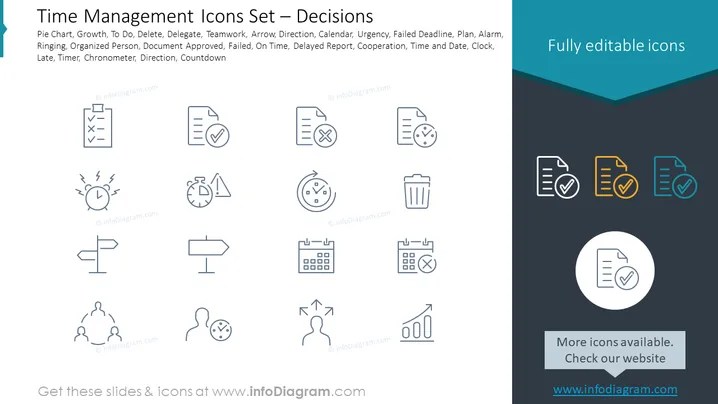
Die PowerPoint-Folie ist eine Sammlung von Icons, die mit Zeitmanagement und Entscheidungsfindung in Verbindung stehen. Diese repräsentieren gängige Aufgaben und Konzepte, die für die Organisation und Priorisierung von Arbeit unerlässlich sind. Zum Beispiel ein Kreisdiagramm zur Datenrepräsentation, Wachstum, das Fortschritt anzeigt, To Do zum Auflisten von Aufgaben, Löschen zum Entfernen von Elementen, Delegieren, um Aufgaben an andere zuzuweisen, und Teamarbeit für kollaborative Anstrengungen. Die Icons stellen zudem verschiedene Zustände wie Dringlichkeit, verpasste Frist und pünktlich dar, sowie Werkzeuge wie Kalender, Uhr und Timer, um Zeit effizient zu verwalten und zu verfolgen.
Das Gesamterscheinungsbild der Folie ist sauber und professionell, wobei viel Weißraum genutzt wird, um sicherzustellen, dass jedes Icon hervorsticht. Die Einfachheit des Designs ermöglicht eine schnelle Erkennung der beabsichtigten Funktion jedes Symbols.




