

Your graphics add a nice touch to my presentations and I recently used them for one of my all-hands meetings. Your toolbox adds professionalism to my slides. Instead of using standard clipart.
Claude Jones, Director of Engineer, @Walmartlabs, USA

Your graphics add a nice touch to my presentations and I recently used them for one of my all-hands meetings. Your toolbox adds professionalism to my slides. Instead of using standard clipart.
Claude Jones, Director of Engineer, @Walmartlabs, USA
I needed a fresh look at some of my slides. I've tried to find a way to create a paintbrush effect, to underline, accentuate, add some color and the handwritten markers were just the things. Very easy to use, easy to size, change the color. It was an affordable, perfect solution and I'm happy to recommend it.
Anonymous, US
The crisp, clean look of the graphics, and the fact that it allowed me to easily edit and change the colors to match the template was my main reason for purchasing them.
Brandie Jenkins, E-learning Developer, USA
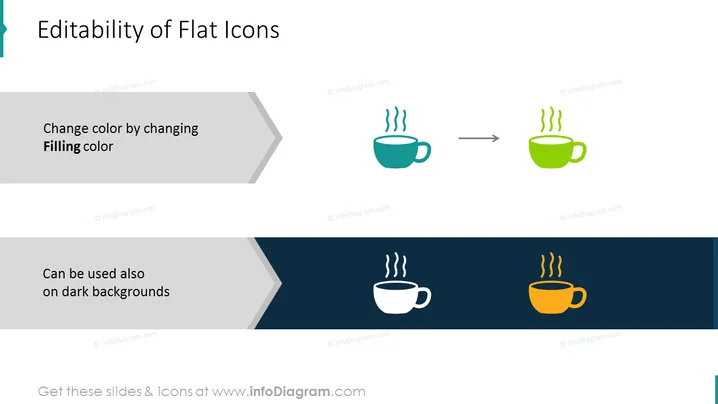
Die Folie erklärt die Vielseitigkeit des Flachsymbol-Designs, insbesondere wie die Farbe von Flachsymbolen verändert werden kann, um unterschiedlichen Zwecken zu dienen. Der obere Teil demonstriert die Farbänderung des Symbols, indem die "Füllfarbe" geändert wird, exemplifiziert mit einem Kaffeetassen-Symbol, das von Teal zu Limette wechselt. Der untere Teil zeigt die Anpassungsfähigkeit desselben Symbols, das in Weiß auf einem dunklen Hintergrund verändert wurde, und deutet darauf hin, dass es in verschiedenen Designkontexten verwendbar ist.
Die Folie ist sauber und minimalistisch und hebt das Konzept der Symbolbearbeitbarkeit durch lebendige visuelle Beispiele hervor. Die kontrastierenden Hintergründe in den beiden Abschnitten veranschaulichen effektiv die Flexibilität der Symbole in verschiedenen Design-Szenarien.



