

Your graphics add a nice touch to my presentations and I recently used them for one of my all-hands meetings. Your toolbox adds professionalism to my slides. Instead of using standard clipart.
Claude Jones, Director of Engineer, @Walmartlabs, USA

Your graphics add a nice touch to my presentations and I recently used them for one of my all-hands meetings. Your toolbox adds professionalism to my slides. Instead of using standard clipart.
Claude Jones, Director of Engineer, @Walmartlabs, USA
I needed a fresh look at some of my slides. I've tried to find a way to create a paintbrush effect, to underline, accentuate, add some color and the handwritten markers were just the things. Very easy to use, easy to size, change the color. It was an affordable, perfect solution and I'm happy to recommend it.
Anonymous, US
The crisp, clean look of the graphics, and the fact that it allowed me to easily edit and change the colors to match the template was my main reason for purchasing them.
Brandie Jenkins, E-learning Developer, USA
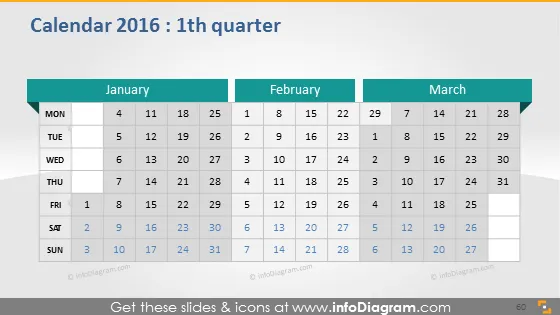
Die PowerPoint-Folie trägt den Titel "Kalender 2016: 1. Quartal" und zeigt eine Dreimonatsansicht mit Januar, Februar und März 2016. Jeder Monat wird in seiner eigenen Spalte dargestellt, wobei die Tage horizontal nach Wochen ausgerichtet sind und jeder Tag eine entsprechende Datumsnummer hat. Der Kalender konzentriert sich auf Wochentage, wobei ein Schwerpunkt auf Montagen für Planungs- und Organisationszwecke gelegt wird, was darauf hindeutet, dass er für einen professionellen oder geschäftlichen Kontext konzipiert ist, in dem die Arbeitswoche zentral für die Planung und Organisation von Aktivitäten ist.
Der Gesamteindruck der Folie ist professionell und klar, mit einem deutlichen Schwerpunkt auf dem Kalenderlayout. Der Einsatz von Farbe ist minimal, hebt jedoch effektiv die verschiedenen Abschnitte und die aktuelle Woche hervor.



