
Your graphics add a nice touch to my presentations and I recently used them for one of my all-hands meetings. Your toolbox adds professionalism to my slides. Instead of using standard clipart.
Claude Jones, Director of Engineer, @Walmartlabs, USA
Your graphics add a nice touch to my presentations and I recently used them for one of my all-hands meetings. Your toolbox adds professionalism to my slides. Instead of using standard clipart.
Claude Jones, Director of Engineer, @Walmartlabs, USA
I needed a fresh look at some of my slides. I've tried to find a way to create a paintbrush effect, to underline, accentuate, add some color and the handwritten markers were just the things. Very easy to use, easy to size, change the color. It was an affordable, perfect solution and I'm happy to recommend it.
Anonymous, US
The crisp, clean look of the graphics, and the fact that it allowed me to easily edit and change the colors to match the template was my main reason for purchasing them.
Brandie Jenkins, E-learning Developer, USA
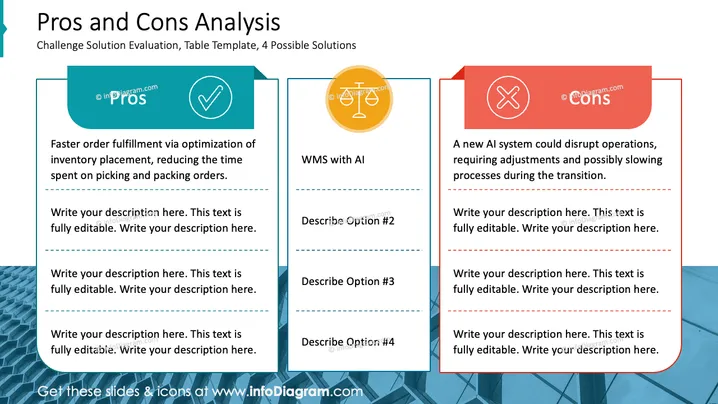
Die PowerPoint-Folie bietet eine strukturierte Vorlage zur Durchführung einer "Vor- und Nachteile Analyse", die häufig in Entscheidungsfindungsprozessen verwendet wird. Sie präsentiert eine Bewertung der Herausforderungen mit einer Tabellenvorlage, die 4 mögliche Lösungen abdeckt. Die Folie illustriert einen Vorteil und einen Nachteil als Beispiele, mit Platzhaltern für zusätzliche Punkte. Der hervorgehobene Vorteil ist "Schnellere Auftragsabwicklung durch Optimierung der Lagerplatzierung", was Effizienz bedeutet. Der beschriebene Nachteil ist "Ein neues KI-System könnte den Betrieb stören", was auf potenzielle Rückschläge bei der Technologiebereitstellung hinweist.
Das Gesamtbild der Folie ist ausgewogen, mit starker visueller Trennung zwischen Vor- und Nachteilen. Die Farbauswahl ist kühn, und die Icons symbolisieren effektiv positive und negative Aspekte.




