

Your graphics add a nice touch to my presentations and I recently used them for one of my all-hands meetings. Your toolbox adds professionalism to my slides. Instead of using standard clipart.
Claude Jones, Director of Engineer, @Walmartlabs, USA

Your graphics add a nice touch to my presentations and I recently used them for one of my all-hands meetings. Your toolbox adds professionalism to my slides. Instead of using standard clipart.
Claude Jones, Director of Engineer, @Walmartlabs, USA
I needed a fresh look at some of my slides. I've tried to find a way to create a paintbrush effect, to underline, accentuate, add some color and the handwritten markers were just the things. Very easy to use, easy to size, change the color. It was an affordable, perfect solution and I'm happy to recommend it.
Anonymous, US
The crisp, clean look of the graphics, and the fact that it allowed me to easily edit and change the colors to match the template was my main reason for purchasing them.
Brandie Jenkins, E-learning Developer, USA
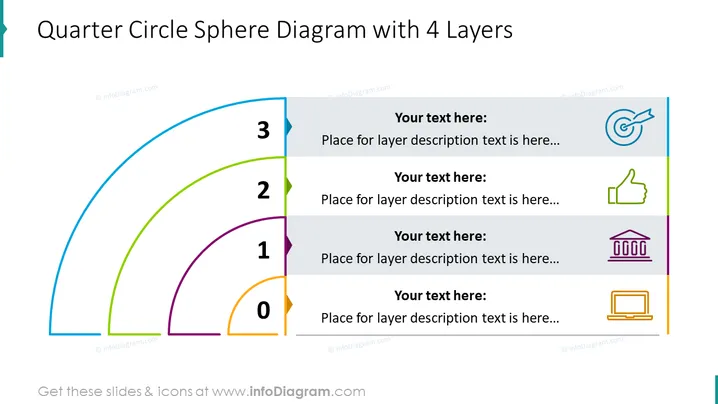
Die Folie zeigt einen mehrschichtigen Ansatz zu einem Konzept oder einer Strategie mit einem "Viertelkreis-Sphärendiagramm mit 4 Schichten." Jede Schicht, nummeriert von 0 bis 3, repräsentiert eine Fortschrittsstufe oder ein Element des Konzepts und wird durch einen Platzhalter für einen beschreibenden Text begleitet. Diese Platzhalter deuten an, wo Benutzer Details zu jeder spezifischen Schicht eingeben können, möglicherweise um deren Bedeutung oder Rolle im größeren Thema, das präsentiert wird, zu erklären.
Die Folie kombiniert eine farbenfrohe grafische Darstellung mit bearbeitbaren Textkomponenten und schafft ein sauberes und visuell ansprechendes Layout. Der Einsatz einfacher Icons trägt dazu bei, die Funktionalität oder das Thema jeder jeweiligen Schicht des Diagramms zu verdeutlichen.



