
Your graphics add a nice touch to my presentations and I recently used them for one of my all-hands meetings. Your toolbox adds professionalism to my slides. Instead of using standard clipart.
Claude Jones, Director of Engineer, @Walmartlabs, USA
Your graphics add a nice touch to my presentations and I recently used them for one of my all-hands meetings. Your toolbox adds professionalism to my slides. Instead of using standard clipart.
Claude Jones, Director of Engineer, @Walmartlabs, USA
I needed a fresh look at some of my slides. I've tried to find a way to create a paintbrush effect, to underline, accentuate, add some color and the handwritten markers were just the things. Very easy to use, easy to size, change the color. It was an affordable, perfect solution and I'm happy to recommend it.
Anonymous, US
The crisp, clean look of the graphics, and the fact that it allowed me to easily edit and change the colors to match the template was my main reason for purchasing them.
Brandie Jenkins, E-learning Developer, USA
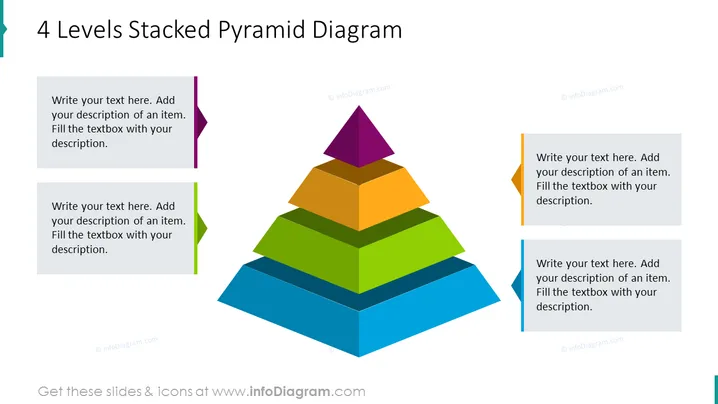
Die Folie präsentiert ein 4 Ebenen gestapeltes Pyramidendiagramm, das verwendet wird, um hierarchische Strukturen oder Priorisierungen auf ansprechende Weise visuell darzustellen. Jede Ebene der Pyramide wird durch eine andere Farbe repräsentiert, was auf eine Progression oder den Aufbau von Konzepten von unten (blau) bis oben (lila) hinweist. Zu jeder Ebene der Pyramide gehören Textfelder zur Anpassung, die den Präsentator einladen, detaillierte Beschreibungen für jede Schicht hinzuzufügen, typischerweise um deren Bedeutung zu erklären oder deren Rolle innerhalb der Gesamtstruktur zu definieren.
Die Folie hat ein modernes und professionelles Erscheinungsbild mit einem lebhaften Farbschema, das eine einfache Unterscheidung zwischen den verschiedenen Ebenen der Pyramide ermöglicht. Der Schattierungseffekt bietet eine subtile Tiefe, die die zentrale pyramidale Grafik hervorhebt.




