
Your graphics add a nice touch to my presentations and I recently used them for one of my all-hands meetings. Your toolbox adds professionalism to my slides. Instead of using standard clipart.
Claude Jones, Director of Engineer, @Walmartlabs, USA
Your graphics add a nice touch to my presentations and I recently used them for one of my all-hands meetings. Your toolbox adds professionalism to my slides. Instead of using standard clipart.
Claude Jones, Director of Engineer, @Walmartlabs, USA
I needed a fresh look at some of my slides. I've tried to find a way to create a paintbrush effect, to underline, accentuate, add some color and the handwritten markers were just the things. Very easy to use, easy to size, change the color. It was an affordable, perfect solution and I'm happy to recommend it.
Anonymous, US
The crisp, clean look of the graphics, and the fact that it allowed me to easily edit and change the colors to match the template was my main reason for purchasing them.
Brandie Jenkins, E-learning Developer, USA
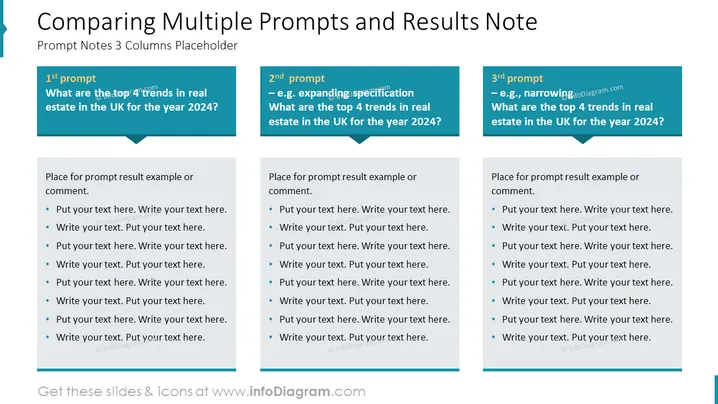
Die PowerPoint-Folie mit dem Titel "Vergleich mehrerer Eingabeaufforderungen und Ergebnissen Hinweis" enthält drei Spalten, die jeweils eine andere Eingabeaufforderung bezüglich der Prognose von Trends auf dem britischen Immobilienmarkt für 2024 darstellen. Die Eingabeaufforderungen sind mit "1. Eingabeaufforderung", "2. Eingabeaufforderung" und "3. Eingabeaufforderung" beschriftet, wobei jede Eingabeaufforderung eine andere Methode zur Erkundung des Themas vorschlägt: Die erste ist eine allgemeine Anfrage, die zweite impliziert eine erweitere Spezifikation, und die dritte schlägt eine Eingrenzung vor. Unter jeder Eingabeaufforderung befindet sich Platz, um entsprechende Ergebnisse oder Kommentare bereitzustellen, angezeigt durch Platzhaltertext für Aufzählungspunkte.
Das gesamte Erscheinungsbild der Folie ist professionell und strukturiert, gestaltet für Klarheit und einfache Vergleichsmöglichkeiten von Informationen über verschiedene Szenarien oder Eingabeaufforderungen.




