
Your graphics add a nice touch to my presentations and I recently used them for one of my all-hands meetings. Your toolbox adds professionalism to my slides. Instead of using standard clipart.
Claude Jones, Director of Engineer, @Walmartlabs, USA
Your graphics add a nice touch to my presentations and I recently used them for one of my all-hands meetings. Your toolbox adds professionalism to my slides. Instead of using standard clipart.
Claude Jones, Director of Engineer, @Walmartlabs, USA
I needed a fresh look at some of my slides. I've tried to find a way to create a paintbrush effect, to underline, accentuate, add some color and the handwritten markers were just the things. Very easy to use, easy to size, change the color. It was an affordable, perfect solution and I'm happy to recommend it.
Anonymous, US
The crisp, clean look of the graphics, and the fact that it allowed me to easily edit and change the colors to match the template was my main reason for purchasing them.
Brandie Jenkins, E-learning Developer, USA
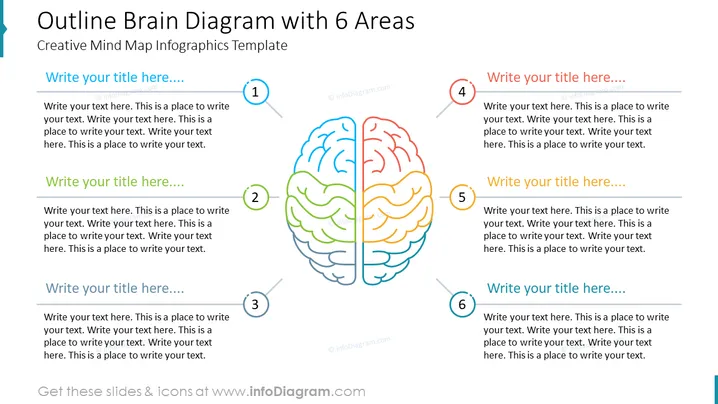
Die PowerPoint-Folie trägt den Titel "Gliederungsdiagramm des Gehirns mit 6 Bereichen" und scheint eine kreative Vorlage für eine Mindmap-Infografik zu sein. Es gibt sechs Abschnitte, nummeriert von 1 bis 6, jeweils mit einem Platzhalter für "Schreiben Sie hier Ihren Titel....", gefolgt von mehreren Zeilen Platzhaltertext, die andeuten, wo man jeden Titel näher erläutern könnte. Diese Titel und Texte korrelieren wahrscheinlich mit Konzepten oder Ideen, die mit dem zentralen Bild verbunden sind, das eine stilisierte Umrissdarstellung eines menschlichen Gehirns ist, wobei jeder Gehirnbereich unterschiedlich gefärbt ist, um mit den nummerierten Bereichen um ihn herum übereinzustimmen.
Die Folie hat ein sauberes, professionelles Erscheinungsbild mit einer farbenfrohen, jedoch unaufdringlichen Gehirnillustration in der Mitte. Diese Art der visuellen Kategorisierung trägt dazu bei, verschiedene Themen oder Ideen klar zu unterscheiden.




