
Your graphics add a nice touch to my presentations and I recently used them for one of my all-hands meetings. Your toolbox adds professionalism to my slides. Instead of using standard clipart.
Claude Jones, Director of Engineer, @Walmartlabs, USA

Your graphics add a nice touch to my presentations and I recently used them for one of my all-hands meetings. Your toolbox adds professionalism to my slides. Instead of using standard clipart.
Claude Jones, Director of Engineer, @Walmartlabs, USA

I needed a fresh look at some of my slides. I've tried to find a way to create a paintbrush effect, to underline, accentuate, add some color and the handwritten markers were just the things. Very easy to use, easy to size, change the color. It was an affordable, perfect solution and I'm happy to recommend it.
Anonymous, US
The crisp, clean look of the graphics, and the fact that it allowed me to easily edit and change the colors to match the template was my main reason for purchasing them.
Brandie Jenkins, E-learning Developer, USA
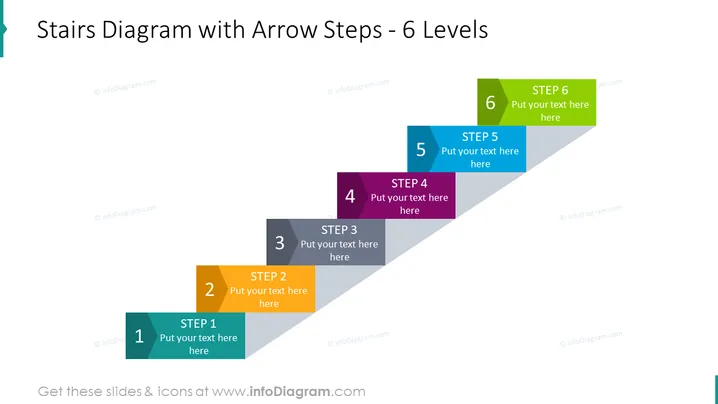
Die Folie ist so gestaltet, dass sie einen Prozess oder eine Entwicklung in sechs verschiedenen Stufen veranschaulicht. Jede Ebene wird durch ein pfeilförmiges Kästchen dargestellt, das eine schrittweise Zunahme anzeigt. Die Schritte sind von 1 bis 6 nummeriert, mit einem Platzhaltertext "Hier Ihren Text eingeben", der vorschlägt, wo ein Präsentierender spezifische Details für jeden Schritt hinzufügen kann. Diese Art von Visualisierung kann hilfreich sein, um komplexe Prozesse in verständlichere Teile zu zerlegen, damit das Publikum jedes Element und seine Reihenfolge innerhalb der Gesamtstruktur verstehen kann.
Das Gesamtbild der Folie ist modern und professionell, mit einem klaren Fokus auf den Fortschritt durch den Einsatz von nach oben zeigenden Pfeilen und sequenzieller Farbzuordnung. Der konsistente Stil der Elemente sorgt für ein kohärentes visuelles Erlebnis.


