

Your graphics add a nice touch to my presentations and I recently used them for one of my all-hands meetings. Your toolbox adds professionalism to my slides. Instead of using standard clipart.
Claude Jones, Director of Engineer, @Walmartlabs, USA

Your graphics add a nice touch to my presentations and I recently used them for one of my all-hands meetings. Your toolbox adds professionalism to my slides. Instead of using standard clipart.
Claude Jones, Director of Engineer, @Walmartlabs, USA
I needed a fresh look at some of my slides. I've tried to find a way to create a paintbrush effect, to underline, accentuate, add some color and the handwritten markers were just the things. Very easy to use, easy to size, change the color. It was an affordable, perfect solution and I'm happy to recommend it.
Anonymous, US
The crisp, clean look of the graphics, and the fact that it allowed me to easily edit and change the colors to match the template was my main reason for purchasing them.
Brandie Jenkins, E-learning Developer, USA
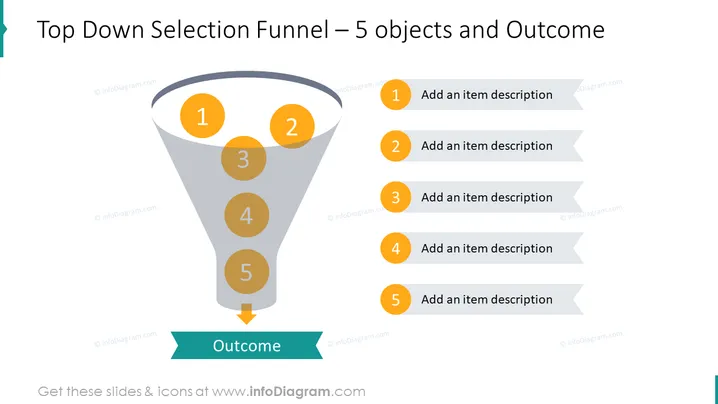
Die Folie präsentiert ein konzeptionelles Modell eines Auswahlprozesses unter Verwendung einer Trichteranalogie. Sie enthält ein fünfstufiges Filtersystem, bei dem jede Stufe vermutlich dazu gedacht ist, Optionen oder Kriterien einzugrenzen. Die Schritte sind numerisch von 1 bis 5 gekennzeichnet, was einen sequenziellen Prozess anzeigt, der zu einem "Ergebnis" am unteren Ende führt. Für jeden nummerierten Schritt gibt es auf der rechten Seite einen entsprechenden Textplatzhalter mit der Aufforderung "Fügen Sie eine Artikelbeschreibung hinzu," was darauf hinweist, dass der Präsentator die Art oder Kriterien jedes Auswahlsschrittes näher erläutern sollte.
Die Folie verwendet ein sauberes und professionelles Design mit klarer visueller Darstellung des Prozessflusses durch die Verwendung einer Trichtergrafik und verbundener Elemente. Der Einsatz kontrastreicher Farben für Text und Zahlen sorgt für Lesbarkeit und Fokus auf die wichtigsten Punkte.



