
Your graphics add a nice touch to my presentations and I recently used them for one of my all-hands meetings. Your toolbox adds professionalism to my slides. Instead of using standard clipart.
Claude Jones, Director of Engineer, @Walmartlabs, USA
Your graphics add a nice touch to my presentations and I recently used them for one of my all-hands meetings. Your toolbox adds professionalism to my slides. Instead of using standard clipart.
Claude Jones, Director of Engineer, @Walmartlabs, USA
I needed a fresh look at some of my slides. I've tried to find a way to create a paintbrush effect, to underline, accentuate, add some color and the handwritten markers were just the things. Very easy to use, easy to size, change the color. It was an affordable, perfect solution and I'm happy to recommend it.
Anonymous, US
The crisp, clean look of the graphics, and the fact that it allowed me to easily edit and change the colors to match the template was my main reason for purchasing them.
Brandie Jenkins, E-learning Developer, USA
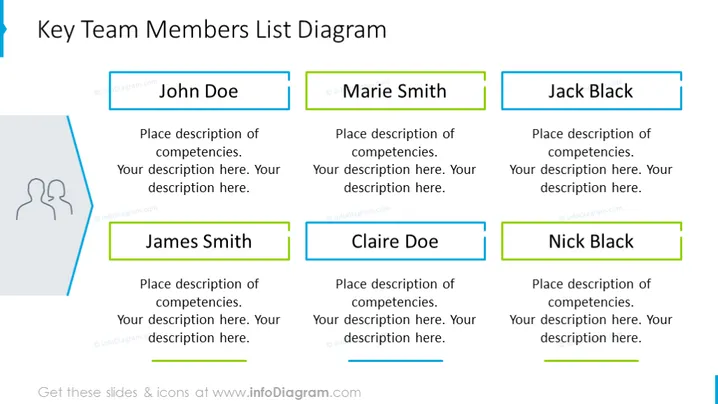
Die PowerPoint-Folie mit dem Titel "Diagramm der Liste der wichtigsten Teammitglieder" zeigt sechs Platzhalter für die Namen der Teammitglieder und ihre entsprechenden Kompetenzen. Jeder Name ist in einem farbigen rechteckigen Textfeld hervorgehoben, was eine Personalisierung für jede Einzelperson suggeriert. Die Felder für 'John Doe', 'Marie Smith' und 'Jack Black' sind in der obersten Reihe angeordnet, während 'James Smith', 'Claire Doe' und 'Nick Black' in der unteren Reihe ausgerichtet sind. Die Vorlage ist so gestaltet, dass sie eine klare und organisierte Präsentation der wichtigsten Teammitglieder, ihrer Rollen oder spezifischen Fachgebiete bietet.
Das Gesamtbild der Folie ist professionell, mit einem gut organisierten und sauberen Design. Die farbcodierten Textfelder helfen, die Teammitglieder zu unterscheiden, während eine kohärente visuelle Struktur beibehalten wird.




