

Your graphics add a nice touch to my presentations and I recently used them for one of my all-hands meetings. Your toolbox adds professionalism to my slides. Instead of using standard clipart.
Claude Jones, Director of Engineer, @Walmartlabs, USA

Your graphics add a nice touch to my presentations and I recently used them for one of my all-hands meetings. Your toolbox adds professionalism to my slides. Instead of using standard clipart.
Claude Jones, Director of Engineer, @Walmartlabs, USA
I needed a fresh look at some of my slides. I've tried to find a way to create a paintbrush effect, to underline, accentuate, add some color and the handwritten markers were just the things. Very easy to use, easy to size, change the color. It was an affordable, perfect solution and I'm happy to recommend it.
Anonymous, US
The crisp, clean look of the graphics, and the fact that it allowed me to easily edit and change the colors to match the template was my main reason for purchasing them.
Brandie Jenkins, E-learning Developer, USA
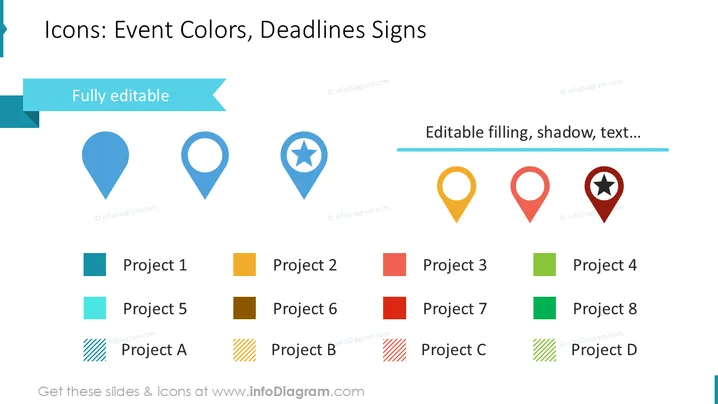
Die Folie führt Icons ein, die verwendet werden können, um Ereignisfarben und Fristensymbole zu kennzeichnen, mit einem Slogan, der anzeigt, dass sie "Vollständig bearbeitbar" sind. Es gibt sechs Karten-Pin-Icons in Blau, hohl Blau, Blau mit einem Stern, Gelb, Rot und Rot mit einem Stern, die jeweils einem Projekt zugeordnet sind, das durch unterschiedliche Farben und Zahlen oder Buchstaben identifiziert wird: Projekt 1 (Blau), Projekt 2 (Orange), Projekt 3 (Rot), Projekt 4 (Grün), Projekt 5 (Himmelblau), Projekt 6 (Dunkelorange), Projekt 7 (Dunkelrot), Projekt 8 (Dunkelgrün), mit quer gestreiften Varianten Projekt A (Blau), Projekt B (Orange), Projekt C (Rot), Projekt D (Grün). Diese Kombinationen von Icon-Farben helfen dabei, Projekte visuell zu kategorisieren.
Das Gesamtbild der Folie ist sauber und modern, mit einer guten Nutzung von Weißraum und Farbcodierung, die Elemente klar voneinander trennt und ihre potenziellen Anwendungen visuell demonstriert.



