

Your graphics add a nice touch to my presentations and I recently used them for one of my all-hands meetings. Your toolbox adds professionalism to my slides. Instead of using standard clipart.
Claude Jones, Director of Engineer, @Walmartlabs, USA

Your graphics add a nice touch to my presentations and I recently used them for one of my all-hands meetings. Your toolbox adds professionalism to my slides. Instead of using standard clipart.
Claude Jones, Director of Engineer, @Walmartlabs, USA
I needed a fresh look at some of my slides. I've tried to find a way to create a paintbrush effect, to underline, accentuate, add some color and the handwritten markers were just the things. Very easy to use, easy to size, change the color. It was an affordable, perfect solution and I'm happy to recommend it.
Anonymous, US
The crisp, clean look of the graphics, and the fact that it allowed me to easily edit and change the colors to match the template was my main reason for purchasing them.
Brandie Jenkins, E-learning Developer, USA
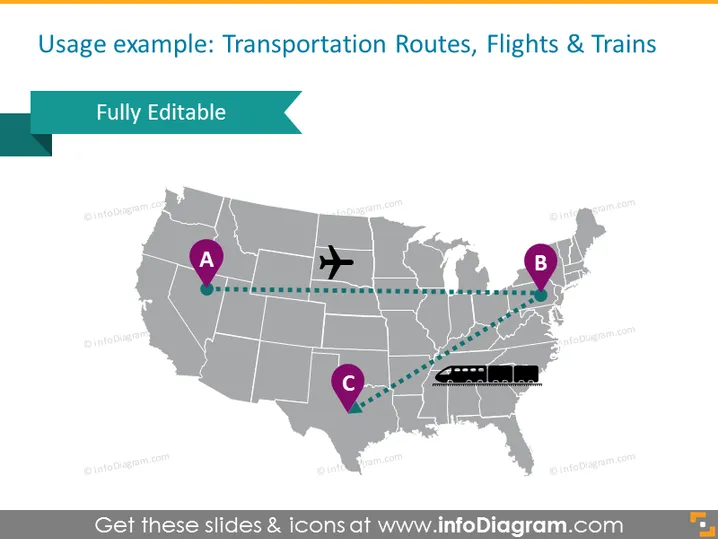
Die PowerPoint-Folie soll die Verkehrswege, insbesondere Flüge und Züge, in einem geografischen Gebiet präsentieren, veranschaulicht mit einer Karte der Vereinigten Staaten. Die Folie zeigt drei wichtige Standorte, die mit A, B und C gekennzeichnet sind, die vermutlich wichtige Verkehrsknotenpunkte oder Städte darstellen. Sie zeigt eine Flugroute von A nach B, dargestellt durch eine gestrichelte Linie und ein Flugzeugsymbol, was auf eine Luftverkehrsanbindung hinweist, und eine Zugroute von B nach C, die ähnlich mit einer gestrichelten Linie und einem Zug-Symbol dargestellt wird, was eine Eisenbahnanbindung impliziert.
Die Folie verwendet ein minimalistisches und professionelles Design, das ein monochromatisches Farbschema mit türkisfarbenen Akzenten für die Hervorhebung der Verkehrswege nutzt. Die Ikonografie vereinfacht die Darstellung komplexer Reisennetze.



