

Your graphics add a nice touch to my presentations and I recently used them for one of my all-hands meetings. Your toolbox adds professionalism to my slides. Instead of using standard clipart.
Claude Jones, Director of Engineer, @Walmartlabs, USA

Your graphics add a nice touch to my presentations and I recently used them for one of my all-hands meetings. Your toolbox adds professionalism to my slides. Instead of using standard clipart.
Claude Jones, Director of Engineer, @Walmartlabs, USA
I needed a fresh look at some of my slides. I've tried to find a way to create a paintbrush effect, to underline, accentuate, add some color and the handwritten markers were just the things. Very easy to use, easy to size, change the color. It was an affordable, perfect solution and I'm happy to recommend it.
Anonymous, US
The crisp, clean look of the graphics, and the fact that it allowed me to easily edit and change the colors to match the template was my main reason for purchasing them.
Brandie Jenkins, E-learning Developer, USA
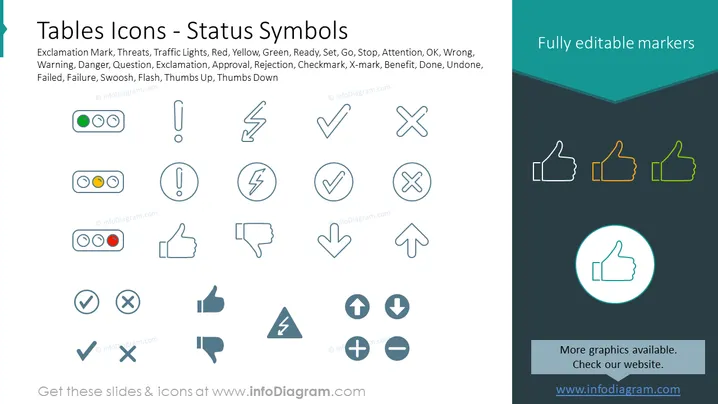
Die PowerPoint-Folie mit dem Titel "Tabellen Symbole - Statussymbole" hebt eine Sammlung von Symbolen hervor, die verschiedene Status wie Ausrufezeichen, Bedrohungen, Ampeln usw. darstellen und unterschiedliche Bedeutungen wie Warnung, Gefahr, Frage und Genehmigung andeuten. Diese Symbole dienen als visuelle Hinweise in Präsentationen und erleichtern das schnelle Verständnis. Ampeln vermitteln Bereitschaft mit Grün für Los, Gelb für Vorsicht und Rot für Stopp. Ein X-Symbol könnte anzeigen, dass etwas nicht stimmt oder abgelehnt wurde, während ein Häkchen typischerweise Genehmigung oder Abschluss einer Aufgabe signalisiert.



