

Your graphics add a nice touch to my presentations and I recently used them for one of my all-hands meetings. Your toolbox adds professionalism to my slides. Instead of using standard clipart.
Claude Jones, Director of Engineer, @Walmartlabs, USA

Your graphics add a nice touch to my presentations and I recently used them for one of my all-hands meetings. Your toolbox adds professionalism to my slides. Instead of using standard clipart.
Claude Jones, Director of Engineer, @Walmartlabs, USA
I needed a fresh look at some of my slides. I've tried to find a way to create a paintbrush effect, to underline, accentuate, add some color and the handwritten markers were just the things. Very easy to use, easy to size, change the color. It was an affordable, perfect solution and I'm happy to recommend it.
Anonymous, US
The crisp, clean look of the graphics, and the fact that it allowed me to easily edit and change the colors to match the template was my main reason for purchasing them.
Brandie Jenkins, E-learning Developer, USA
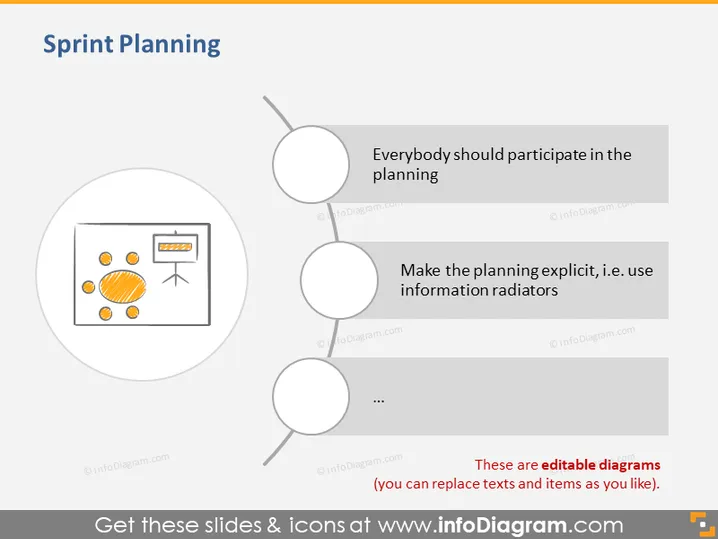
Die PowerPoint-Folie mit dem Titel "Sprint-Planung" scheint wichtige Strategien oder Überlegungen während des Sprint-Planungsprozesses zu erörtern. Es sind drei Hauptpunkte aufgeführt, von denen jedoch nur zwei vollständig sichtbar sind.
"Jeder sollte an der Planung teilnehmen," was inklusive und kollaborative Planungssitzungen betont.
"Machen Sie die Planung explizit, d.h. verwenden Sie Informationsstrahler," was die Verwendung von sichtbaren, leicht zugänglichen Informationen vorschlägt, um alle informiert zu halten.
Der dritte Punkt ist nicht vollständig sichtbar und wird durch eine Auslassung dargestellt.
Das Gesamterscheinungsbild ist minimalistisch und benutzerfreundlich, mit einem Fokus auf eine Reihenfolge von Aktionen oder Ideen. Die einfachen Icons und der klare Text machen die beabsichtigten Punkte auf einen Blick leicht verständlich.



