

Your graphics add a nice touch to my presentations and I recently used them for one of my all-hands meetings. Your toolbox adds professionalism to my slides. Instead of using standard clipart.
Claude Jones, Director of Engineer, @Walmartlabs, USA

Your graphics add a nice touch to my presentations and I recently used them for one of my all-hands meetings. Your toolbox adds professionalism to my slides. Instead of using standard clipart.
Claude Jones, Director of Engineer, @Walmartlabs, USA
I needed a fresh look at some of my slides. I've tried to find a way to create a paintbrush effect, to underline, accentuate, add some color and the handwritten markers were just the things. Very easy to use, easy to size, change the color. It was an affordable, perfect solution and I'm happy to recommend it.
Anonymous, US
The crisp, clean look of the graphics, and the fact that it allowed me to easily edit and change the colors to match the template was my main reason for purchasing them.
Brandie Jenkins, E-learning Developer, USA
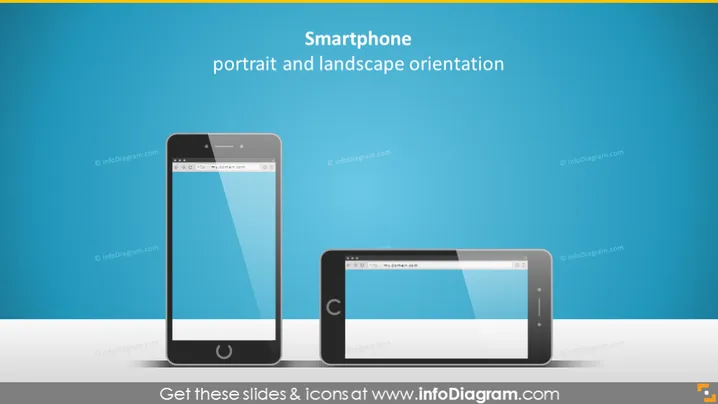
Die PowerPoint-Folie präsentiert das Konzept der Smartphone-Ausrichtung und hebt speziell die beiden gängigen Modi hervor: Hochformat und Querformat. Die Hochformat-Ausrichtung ist dadurch gekennzeichnet, dass die Höhe des Bildschirms größer ist als seine Breite, geeignet für das Durchscrollen von Feeds oder das Lesen. Das Querformat hingegen hat ein breiteres Seitenverhältnis, das optimal zum Anschauen von Videos und Spielen ist und ein umfassenderes visuelles Erlebnis bietet.
http://my.domain.com wird auf den Bildschirmen der Telefone angezeigt und zeigt eine generische Webadresse an.Der Gesamteindruck der Folie ist elegant und professionell, wobei ein minimalistischer Stil verfolgt wird, der den visuellen Vergleich zwischen den beiden Smartphone-Ausrichtungen in den Mittelpunkt stellt.



