

Your graphics add a nice touch to my presentations and I recently used them for one of my all-hands meetings. Your toolbox adds professionalism to my slides. Instead of using standard clipart.
Claude Jones, Director of Engineer, @Walmartlabs, USA

Your graphics add a nice touch to my presentations and I recently used them for one of my all-hands meetings. Your toolbox adds professionalism to my slides. Instead of using standard clipart.
Claude Jones, Director of Engineer, @Walmartlabs, USA
I needed a fresh look at some of my slides. I've tried to find a way to create a paintbrush effect, to underline, accentuate, add some color and the handwritten markers were just the things. Very easy to use, easy to size, change the color. It was an affordable, perfect solution and I'm happy to recommend it.
Anonymous, US
The crisp, clean look of the graphics, and the fact that it allowed me to easily edit and change the colors to match the template was my main reason for purchasing them.
Brandie Jenkins, E-learning Developer, USA
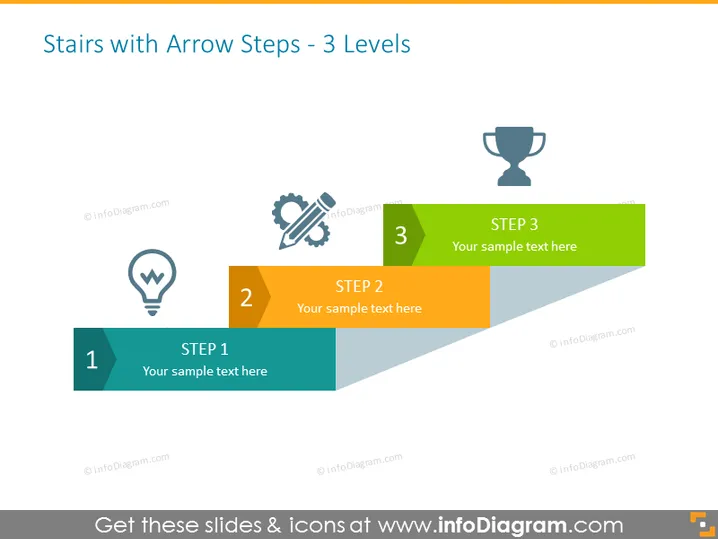
Die Folie ist so gestaltet, dass sie einen dreistufigen Prozess mit pfeilförmigen Stufen darstellt, die Fortschritt anzeigen. Jede Stufe ist mit einer Zahl gekennzeichnet und verfügt über Platzhalter für benutzerdefinierten Text. Schritt 1 ist mit einem Symbol einer Glühbirne verbunden, was eine Idee oder eine Initiierungsphase nahelegt. Schritt 2 wird mit Zahnrad- und Bleistiftsymbolen kombiniert, was möglicherweise eine Entwicklungs- oder Planungsphase kennzeichnet. Schritt 3 wird mit einem Pokal-Symbol abgeschlossen, das möglicherweise den Erfolg oder das Endziel des Prozesses symbolisiert.
Diese PowerPoint-Folie ist klar und visuell ansprechend, verwendet ein einfaches Farbschema und deutliche Symbole, um einen Prozess oder Fortschritt effektiv zu kommunizieren. Die Pfeilstufen vermitteln ein Gefühl von Fortschritt und Erfolg.



