

Your graphics add a nice touch to my presentations and I recently used them for one of my all-hands meetings. Your toolbox adds professionalism to my slides. Instead of using standard clipart.
Claude Jones, Director of Engineer, @Walmartlabs, USA

Your graphics add a nice touch to my presentations and I recently used them for one of my all-hands meetings. Your toolbox adds professionalism to my slides. Instead of using standard clipart.
Claude Jones, Director of Engineer, @Walmartlabs, USA
I needed a fresh look at some of my slides. I've tried to find a way to create a paintbrush effect, to underline, accentuate, add some color and the handwritten markers were just the things. Very easy to use, easy to size, change the color. It was an affordable, perfect solution and I'm happy to recommend it.
Anonymous, US
The crisp, clean look of the graphics, and the fact that it allowed me to easily edit and change the colors to match the template was my main reason for purchasing them.
Brandie Jenkins, E-learning Developer, USA
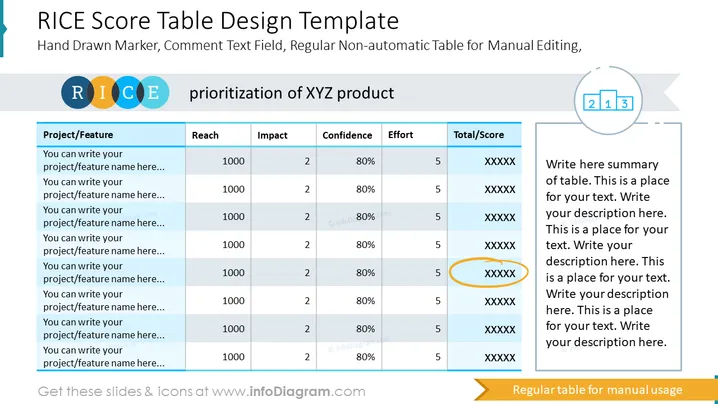
Diese Folie enthält Beispiele für RICE-Punktetabellen eines Produkts, an dem Sie derzeit arbeiten oder das Sie verbessern möchten. Wir haben Platz für bis zu acht Funktionen eingeräumt, Sie können jedoch zusätzliche Spalten nach Bedarf hinzufügen oder löschen. Wir haben es mit einer nicht automatisierten Tabelle für manuelle Bearbeitung präsentiert und einen handgezeichneten Marker sowie ein Kommentarfeld für zusätzliche Anmerkungen hinzugefügt, die Sie hinzufügen möchten. Erläutern Sie die Auswirkungen jeder Funktion durch die RICE-Elemente und die endgültige Punktzahl. Dann können Sie diese PowerPoint-Vorlage Ihrem Team präsentieren und Ihre Analyseergebnisse erklären. ##Beschreibung der Folien-Infografik: RICE-Punktetabelle. Tabellen-Spaltenlayout-Design, bunter Banner, Textblock, Bewertungslevel-Icon, Umriss-Icons



