

Your graphics add a nice touch to my presentations and I recently used them for one of my all-hands meetings. Your toolbox adds professionalism to my slides. Instead of using standard clipart.
Claude Jones, Director of Engineer, @Walmartlabs, USA

Your graphics add a nice touch to my presentations and I recently used them for one of my all-hands meetings. Your toolbox adds professionalism to my slides. Instead of using standard clipart.
Claude Jones, Director of Engineer, @Walmartlabs, USA
I needed a fresh look at some of my slides. I've tried to find a way to create a paintbrush effect, to underline, accentuate, add some color and the handwritten markers were just the things. Very easy to use, easy to size, change the color. It was an affordable, perfect solution and I'm happy to recommend it.
Anonymous, US
The crisp, clean look of the graphics, and the fact that it allowed me to easily edit and change the colors to match the template was my main reason for purchasing them.
Brandie Jenkins, E-learning Developer, USA
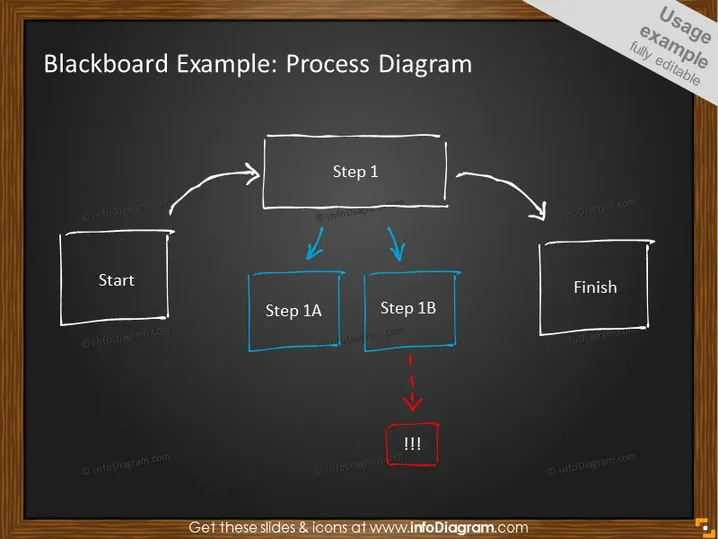
Die Folie scheint einen grundlegenden Prozessablauf mit einem Tafel-Stil-Thema zu veranschaulichen. Sie beginnt mit einem Block, der mit "Start" beschriftet ist, gefolgt von einem Pfeil, der zu einem rechteckigen Block mit dem Titel "Schritt 1" zeigt. Als nächstes zweigen zwei Pfeile von "Schritt 1" ab und führen zu zwei parallelen Schritten, die mit "Schritt 1A" und "Schritt 1B" beschriftet sind und jeweils in separaten blauen rechteckigen Blöcken dargestellt werden. Ein kritischer Punkt wird nach "Schritt 1B" mit einem rot umrandeten Block angezeigt, der drei Ausrufezeichen enthält. Schließlich verbindet eine Linie den Endblock, der mit "Fertig" beschriftet ist.



