

Your graphics add a nice touch to my presentations and I recently used them for one of my all-hands meetings. Your toolbox adds professionalism to my slides. Instead of using standard clipart.
Claude Jones, Director of Engineer, @Walmartlabs, USA

Your graphics add a nice touch to my presentations and I recently used them for one of my all-hands meetings. Your toolbox adds professionalism to my slides. Instead of using standard clipart.
Claude Jones, Director of Engineer, @Walmartlabs, USA
I needed a fresh look at some of my slides. I've tried to find a way to create a paintbrush effect, to underline, accentuate, add some color and the handwritten markers were just the things. Very easy to use, easy to size, change the color. It was an affordable, perfect solution and I'm happy to recommend it.
Anonymous, US
The crisp, clean look of the graphics, and the fact that it allowed me to easily edit and change the colors to match the template was my main reason for purchasing them.
Brandie Jenkins, E-learning Developer, USA
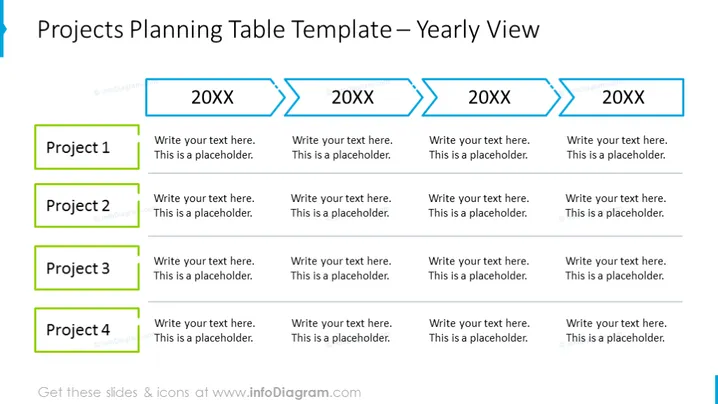
Die PowerPoint-Folie ist eine Vorlage für eine "Planungstabelle von Projekten" mit einer jährlichen Ansicht. Sie ist mit vier beschrifteten Zeilen organisiert, wobei jede ein anderes Projekt darstellt, und fünf Spalten an der Oberseite, wobei vier mit Platzhaltertext "20XX" beschriftet sind, der auf verschiedene Jahre für die Planung hinweist. Jede Zelle neben einem Projekt ist ein Platz für Text, was darauf hindeutet, dass hier Details über den Fortschritt oder den Plan des Projekts in einem bestimmten Jahr eingegeben werden.
Die Folie ist mit einem professionellen und minimalistischen Ansatz gestaltet, der ein farbcodiertes System zur Kategorisierung von Informationen verwendet. Das visuelle Thema ist konsistent, und die Informationen sind so formatiert, dass sie leicht gelesen und verstanden werden können.



