
Your graphics add a nice touch to my presentations and I recently used them for one of my all-hands meetings. Your toolbox adds professionalism to my slides. Instead of using standard clipart.
Claude Jones, Director of Engineer, @Walmartlabs, USA
Your graphics add a nice touch to my presentations and I recently used them for one of my all-hands meetings. Your toolbox adds professionalism to my slides. Instead of using standard clipart.
Claude Jones, Director of Engineer, @Walmartlabs, USA
I needed a fresh look at some of my slides. I've tried to find a way to create a paintbrush effect, to underline, accentuate, add some color and the handwritten markers were just the things. Very easy to use, easy to size, change the color. It was an affordable, perfect solution and I'm happy to recommend it.
Anonymous, US
The crisp, clean look of the graphics, and the fact that it allowed me to easily edit and change the colors to match the template was my main reason for purchasing them.
Brandie Jenkins, E-learning Developer, USA
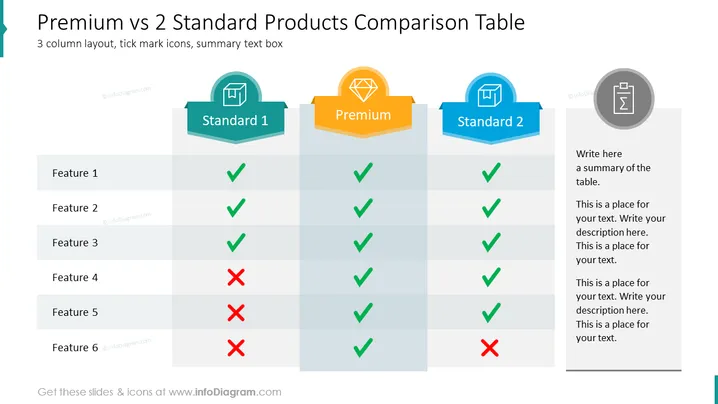
Produktvergleichs-PowerPoint-Vorlage, bei der die mittlere Spalte hervorgehoben ist. Sie könnten diese Tabelle verwenden, um einige Produkt- oder Dienstleistungsmerkmale, die Ihr Unternehmen anbietet, zu vergleichen, damit der Kunde seine bevorzugte Option wählen kann, z. B. Standard, Premium und Basic. Oder vielleicht könnten Sie dies in einer Präsentation über Ihre Produkte oder Dienstleistungen verwenden. Sie könnten dies auch anpassen, um zu zeigen, was Ihre Wettbewerber anbieten. Die Vorlage und Icons sind alle vollständig bearbeitbar: Ändern Sie die Farben, um Ihre Markenpalette anzupassen, ändern Sie grafische Elemente in der Größe, ohne die Bildqualität zu verlieren, bearbeiten und ändern Sie den Text nach Bedarf usw.
Illustrationen, Vergleichsvorlagen Tabelle, 3 Spalten, 5 Reihen, Merkmal-Icons, Stern-Icon, Größe anpassbare Formen, weißer Hintergrund




