
Bewertungen
Your graphics add a nice touch to my presentations and I recently used them for one of my all-hands meetings. Your toolbox adds professionalism to my slides. Instead of using standard clipart.
I needed a fresh look at some of my slides. I've tried to find a way to create a paintbrush effect, to underline, accentuate, add some color and the handwritten markers were just the things. Very easy to use, easy to size, change the color. It was an affordable, perfect solution and I'm happy to recommend it.
The crisp, clean look of the graphics, and the fact that it allowed me to easily edit and change the colors to match the template was my main reason for purchasing them.
Beschreibung
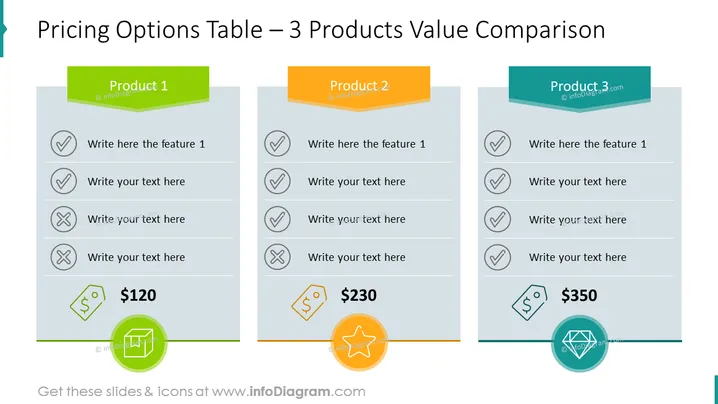
Preislisten-Vorlageninhalt Diese Folie zeigt eine Preisliste für drei Produkte. Erklären Sie kurz die Merkmale des Produkts und verwenden Sie die Statussymbole - Häkchen und Kreuz. Wir haben auch repräsentative Symbole hinzugefügt, um Ihrem Publikum sofort zu helfen, die Natur des Themas zu verstehen. Sie können die Elemente, Farben und Formen ohne Qualitätsverlust bearbeiten und die Größe ändern. Diese Folie ist Teil der PowerPoint-Vorlage für kreative Tabellengrafiken. Klicken Sie auf das Bild, um das gesamte Deck zu sehen. ## Preislisten-Vorlagen-Infografiken PPT Tabelle, flaches Stil-Umrisssymbole, Häkchen-Symbol, Kreuzsymbol, Zahnrad-Symbol, Farbcodierung
Wie bearbeiten
Text und Farben bearbeiten

Diagramm erweitern/kürzen

Ersetzen von Symbolen in infoDiagram PPT


