

Your graphics add a nice touch to my presentations and I recently used them for one of my all-hands meetings. Your toolbox adds professionalism to my slides. Instead of using standard clipart.
Claude Jones, Director of Engineer, @Walmartlabs, USA

Your graphics add a nice touch to my presentations and I recently used them for one of my all-hands meetings. Your toolbox adds professionalism to my slides. Instead of using standard clipart.
Claude Jones, Director of Engineer, @Walmartlabs, USA
I needed a fresh look at some of my slides. I've tried to find a way to create a paintbrush effect, to underline, accentuate, add some color and the handwritten markers were just the things. Very easy to use, easy to size, change the color. It was an affordable, perfect solution and I'm happy to recommend it.
Anonymous, US
The crisp, clean look of the graphics, and the fact that it allowed me to easily edit and change the colors to match the template was my main reason for purchasing them.
Brandie Jenkins, E-learning Developer, USA
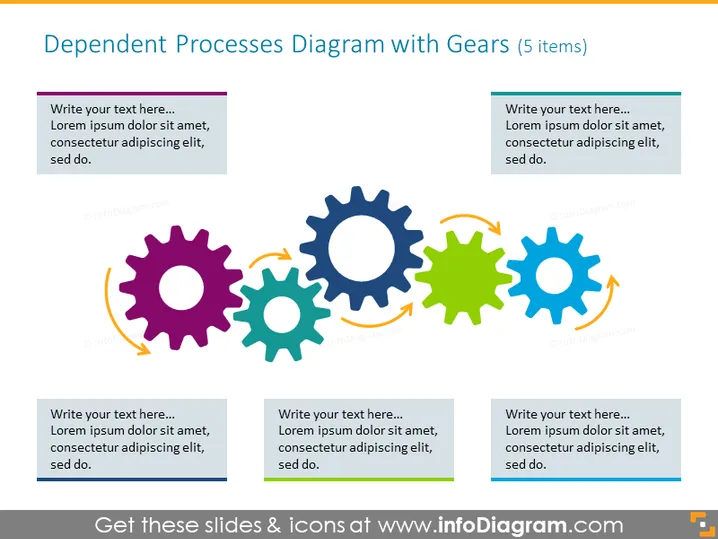
Die PowerPoint-Folie präsentiert ein konzeptionelles Diagramm, das die Vernetzung und Abhängigkeit von fünf Prozessen veranschaulicht, die jeweils durch ein Zahnrad symbolisiert werden. Die Zahnräder sind in einer horizontalen Sequenz angeordnet, die zeigt, wie jeder Prozess für das reibungslose Funktionieren des gesamten Systems notwendig ist. Jedes Zahnrad wird von einem Textfeld begleitet, das zusätzliche Informationen impliziert, was bedeutet, dass der Präsentator jeden Prozess im Detail erklären kann und wie er zum größeren Mechanismus beiträgt.
Die visuelle Komposition der Folie ist klar und einfach, wobei Zahnräder und Textfelder Farbkodierung verwenden, um die Konzepte zu verknüpfen. Die Pfeile verleihen ein dynamisches Gefühl, das Bewegung und die zirkuläre Natur der dargestellten Prozesse anzeigt.



