

Your graphics add a nice touch to my presentations and I recently used them for one of my all-hands meetings. Your toolbox adds professionalism to my slides. Instead of using standard clipart.
Claude Jones, Director of Engineer, @Walmartlabs, USA

Your graphics add a nice touch to my presentations and I recently used them for one of my all-hands meetings. Your toolbox adds professionalism to my slides. Instead of using standard clipart.
Claude Jones, Director of Engineer, @Walmartlabs, USA
I needed a fresh look at some of my slides. I've tried to find a way to create a paintbrush effect, to underline, accentuate, add some color and the handwritten markers were just the things. Very easy to use, easy to size, change the color. It was an affordable, perfect solution and I'm happy to recommend it.
Anonymous, US
The crisp, clean look of the graphics, and the fact that it allowed me to easily edit and change the colors to match the template was my main reason for purchasing them.
Brandie Jenkins, E-learning Developer, USA
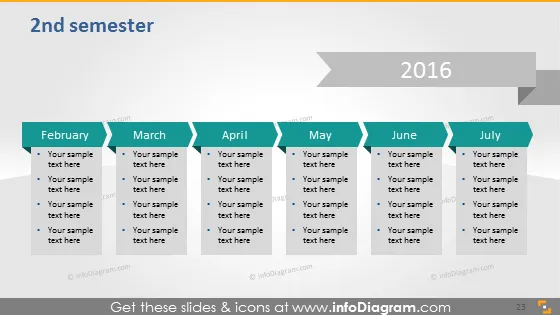
Die PowerPoint-Folie mit dem Titel "2. Semester" skizziert einen Zeitplan für die zweite Hälfte des Jahres 2016, mit den Monaten von Februar bis Juli. Sie enthält Platzhalter für Veranstaltungsbeschreibungen oder Meilensteine unter jedem Monat. Jeder Monat ist als separate Spalte mit Aufzählungspunkten darunter gekennzeichnet, um detaillierte Texteingaben zu ermöglichen, was darauf hindeutet, dass dieser Zeitplan mit spezifischen Aufgaben, Zielen oder Ereignissen gefüllt werden soll, die für die Agenda des Präsentierenden oder die Projektmeilensteine bedeutend sind.
Das Gesamtbild der Folie ist sauber und geschäftsmäßig, mit einer neutralen Farbpalette. Der Zeitverlauf ist visuell durch einen subtilen Pfeil verbunden, der den Fortschritt über die Monate hinweg anzeigt.



