

Your graphics add a nice touch to my presentations and I recently used them for one of my all-hands meetings. Your toolbox adds professionalism to my slides. Instead of using standard clipart.
Claude Jones, Director of Engineer, @Walmartlabs, USA

Your graphics add a nice touch to my presentations and I recently used them for one of my all-hands meetings. Your toolbox adds professionalism to my slides. Instead of using standard clipart.
Claude Jones, Director of Engineer, @Walmartlabs, USA
I needed a fresh look at some of my slides. I've tried to find a way to create a paintbrush effect, to underline, accentuate, add some color and the handwritten markers were just the things. Very easy to use, easy to size, change the color. It was an affordable, perfect solution and I'm happy to recommend it.
Anonymous, US
The crisp, clean look of the graphics, and the fact that it allowed me to easily edit and change the colors to match the template was my main reason for purchasing them.
Brandie Jenkins, E-learning Developer, USA
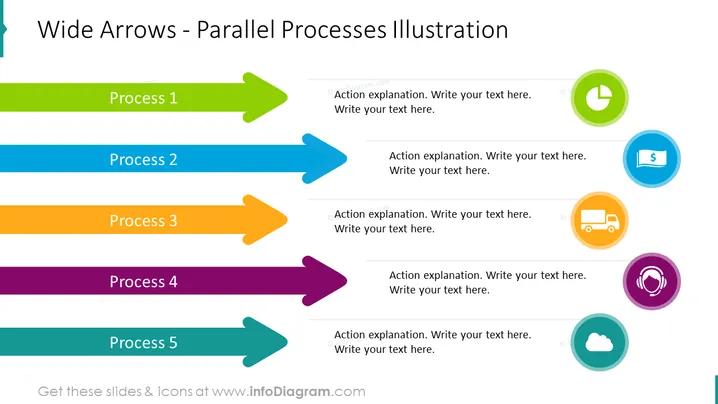
Die PowerPoint-Folie ist so gestaltet, dass sie parallele Prozesse mithilfe breiter, bunter Pfeile veranschaulicht, wobei jeder Pfeil einen anderen Prozess repräsentiert. Insgesamt gibt es fünf Prozesse, die als Prozess 1 bis Prozess 5 beschriftet sind und in unterschiedlichen Farben gehalten sind: grün, blau, orange, lila und teal. Jeder Pfeil zeigt nach rechts und zeigt so eine Vorwärtsbewegung oder Fortschritt innerhalb der Prozesse an. Neben jedem Pfeil gibt es einen Platzhalter mit dem Text "Aktionsbeschreibung. Schreiben Sie Ihren Text hier." Dies deutet darauf hin, dass für jeden Prozess eine detaillierte Erklärung oder spezifische Aktion bereitgestellt werden sollte, um die Aktivitäten dieser Phase näher zu erläutern.
Die Folie ist klar und lebendig, mit einem klar strukturierten Layout. Visuelle Elemente wie bunte Pfeile und Symbole dienen dazu, verschiedene Aspekte eines Prozesses zu kategorisieren und zu betonen.



