

Your graphics add a nice touch to my presentations and I recently used them for one of my all-hands meetings. Your toolbox adds professionalism to my slides. Instead of using standard clipart.
Claude Jones, Director of Engineer, @Walmartlabs, USA

Your graphics add a nice touch to my presentations and I recently used them for one of my all-hands meetings. Your toolbox adds professionalism to my slides. Instead of using standard clipart.
Claude Jones, Director of Engineer, @Walmartlabs, USA
I needed a fresh look at some of my slides. I've tried to find a way to create a paintbrush effect, to underline, accentuate, add some color and the handwritten markers were just the things. Very easy to use, easy to size, change the color. It was an affordable, perfect solution and I'm happy to recommend it.
Anonymous, US
The crisp, clean look of the graphics, and the fact that it allowed me to easily edit and change the colors to match the template was my main reason for purchasing them.
Brandie Jenkins, E-learning Developer, USA
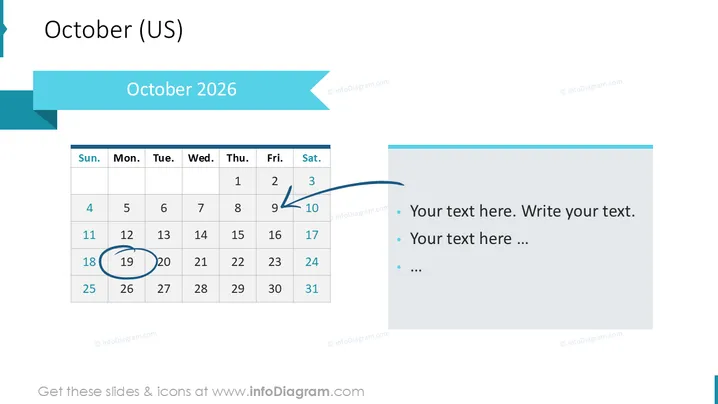
Diese PowerPoint-Folie präsentiert eine Kalenderansicht für Oktober 2024 sowie einen Abschnitt für begleitenden Text. Der Kalender hebt bestimmte Daten mit Kreisen und Pfeilen hervor, die wichtige Ereignisse oder Meilensteine signalisieren. Der Textabschnitt enthält Stichpunkte für zusätzliche Informationen oder Aktionspunkte, die sich auf diese Daten beziehen. Diese Folie kombiniert effektiv eine visuelle Darstellung der Zeit mit Raum für detaillierte Anmerkungen, was die Planung und Verfolgung wichtiger Fristen oder Termine erleichtern kann.
Die Folie ist sauber gestaltet und hat ein professionelles Erscheinungsbild, das ein einfaches Farbschema nutzt, das sowohl ansprechend als auch effektiv zur Hervorhebung wichtiger Informationen ist. Die Verwendung visueller Indikatoren im Kalender neben dem angrenzenden Textfeld ermöglicht eine interaktive Präsentation von Daten und den entsprechenden Details.



