

Your graphics add a nice touch to my presentations and I recently used them for one of my all-hands meetings. Your toolbox adds professionalism to my slides. Instead of using standard clipart.
Claude Jones, Director of Engineer, @Walmartlabs, USA

Your graphics add a nice touch to my presentations and I recently used them for one of my all-hands meetings. Your toolbox adds professionalism to my slides. Instead of using standard clipart.
Claude Jones, Director of Engineer, @Walmartlabs, USA
I needed a fresh look at some of my slides. I've tried to find a way to create a paintbrush effect, to underline, accentuate, add some color and the handwritten markers were just the things. Very easy to use, easy to size, change the color. It was an affordable, perfect solution and I'm happy to recommend it.
Anonymous, US
The crisp, clean look of the graphics, and the fact that it allowed me to easily edit and change the colors to match the template was my main reason for purchasing them.
Brandie Jenkins, E-learning Developer, USA
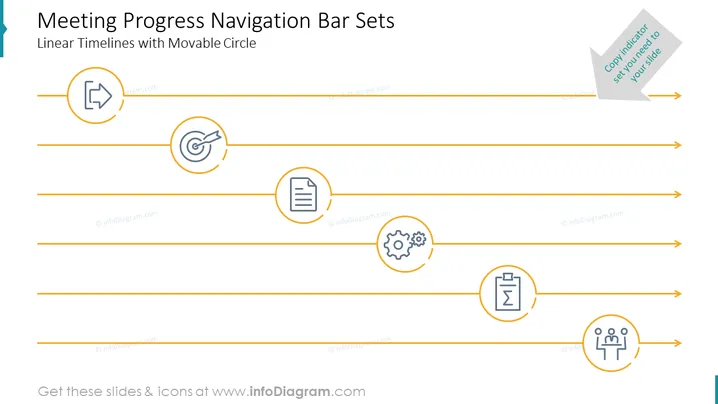
Die Folie "Fortschritts-Navigationsleiste für Besprechungen" beschreibt ein Konzept zur Verfolgung des Fortschritts durch verschiedene Phasen einer Besprechung oder Präsentation mithilfe einer linearen Zeitleiste mit beweglichen Kreisen. Jede Zeitleiste repräsentiert eine andere Phase, wobei ein Symbol innerhalb eines Kreises jede spezifische Aktivität kennzeichnet – wie das Anstoßen einer Diskussion, das Überprüfen von Dokumenten, das Setzen von Zielen, das Generieren von Ideen, das Treffen von Entscheidungen oder das Sammeln von Feedback – alles wesentliche Schritte im Arbeitsablauf einer Besprechung.
Das Gesamterscheinungsbild der Folie ist modern und professionell, mit einem Schwerpunkt auf Einfachheit und Klarheit. Der Einsatz von Icons und Zeitleisten bietet eine leicht verständliche visuelle Darstellung eines sequenziellen Prozesses.



