
Your graphics add a nice touch to my presentations and I recently used them for one of my all-hands meetings. Your toolbox adds professionalism to my slides. Instead of using standard clipart.
Claude Jones, Director of Engineer, @Walmartlabs, USA
Your graphics add a nice touch to my presentations and I recently used them for one of my all-hands meetings. Your toolbox adds professionalism to my slides. Instead of using standard clipart.
Claude Jones, Director of Engineer, @Walmartlabs, USA
I needed a fresh look at some of my slides. I've tried to find a way to create a paintbrush effect, to underline, accentuate, add some color and the handwritten markers were just the things. Very easy to use, easy to size, change the color. It was an affordable, perfect solution and I'm happy to recommend it.
Anonymous, US
The crisp, clean look of the graphics, and the fact that it allowed me to easily edit and change the colors to match the template was my main reason for purchasing them.
Brandie Jenkins, E-learning Developer, USA
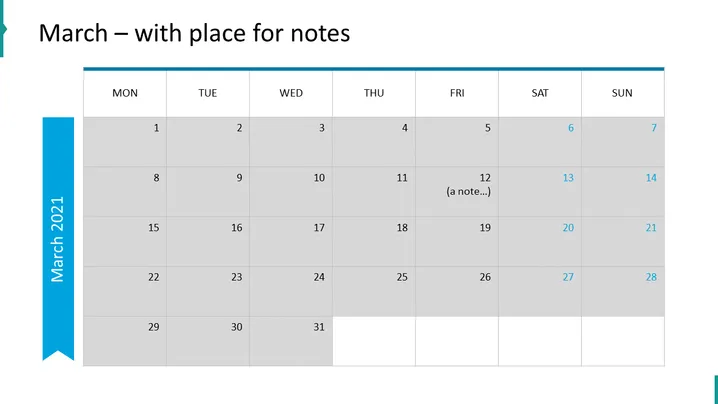
Die PowerPoint-Folie scheint eine Kalendervorlage für den Monat März zu sein, beschriftet mit "März – mit Platz für Notizen." Sie ist als Standard-Monatskalender strukturiert, wobei die Zeilen die Wochen und die Spalten die Tage von Montag bis Sonntag darstellen. Innerhalb dieses Layouts sind die Daten vom 1. bis zum 31. ausgefüllt. Der 12. hat einen Beispiel-Eintrag, der "(eine Notiz...)" lautet und anzeigt, wo Benutzer ihre eigenen Notizen oder Termine hinzufügen können.
Der Gesamteindruck der Folie ist sauber und professionell, mit einem neutralen Farbschema, abgesehen von dem blauen Akzent auf der linken Seite. Die abwechselnden Grautöne helfen, zwischen den Tagen zu unterscheiden und machen es visuell einfach, sich zurechtzufinden.




