

Your graphics add a nice touch to my presentations and I recently used them for one of my all-hands meetings. Your toolbox adds professionalism to my slides. Instead of using standard clipart.
Claude Jones, Director of Engineer, @Walmartlabs, USA

Your graphics add a nice touch to my presentations and I recently used them for one of my all-hands meetings. Your toolbox adds professionalism to my slides. Instead of using standard clipart.
Claude Jones, Director of Engineer, @Walmartlabs, USA
I needed a fresh look at some of my slides. I've tried to find a way to create a paintbrush effect, to underline, accentuate, add some color and the handwritten markers were just the things. Very easy to use, easy to size, change the color. It was an affordable, perfect solution and I'm happy to recommend it.
Anonymous, US
The crisp, clean look of the graphics, and the fact that it allowed me to easily edit and change the colors to match the template was my main reason for purchasing them.
Brandie Jenkins, E-learning Developer, USA
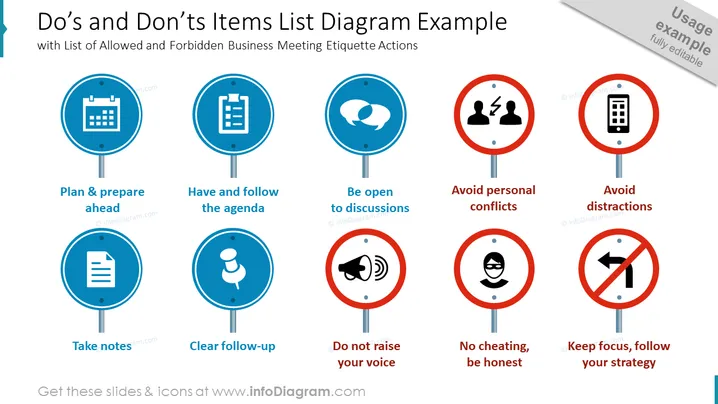
##Folieninhalt: Diese Folie zeigt ein Diagramm mit einer Liste von Dos und Don'ts in Form von Straßenschildern. Wir haben blaue Symbole für den erlaubten Status hinzugefügt und rote für einen verbotenen Status. Unter jedem repräsentativen Symbol befindet sich eine kurze Beschreibung. Sie können die Grafiken bearbeiten, ohne die Qualität zu verlieren, und wenn Sie nicht wissen, wie, haben wir detaillierte Anleitungen beigefügt. Sie können die Präsentation auch in anderer Software wie Google Slides und Keynote herunterladen. Klicken Sie auf das Bild, um die gesamte Road Signs Infographics PowerPoint-Vorlage für weitere Ideen zu sehen. ##Beschreibung der Folieninfografik: Einfache Flachsymbole, Kalender-Icon, Checklisten-Icon, Sprechblase, Konfliktsymbol für Personen, Smartphone-Icon, Notiz, Pin-Icon, Megafon-Sirenen-Icon, geschminkter Mann Vektor, Verbotenschild für linksabbiegen



