
Bewertungen
Your graphics add a nice touch to my presentations and I recently used them for one of my all-hands meetings. Your toolbox adds professionalism to my slides. Instead of using standard clipart.
I needed a fresh look at some of my slides. I've tried to find a way to create a paintbrush effect, to underline, accentuate, add some color and the handwritten markers were just the things. Very easy to use, easy to size, change the color. It was an affordable, perfect solution and I'm happy to recommend it.
The crisp, clean look of the graphics, and the fact that it allowed me to easily edit and change the colors to match the template was my main reason for purchasing them.
Beschreibung
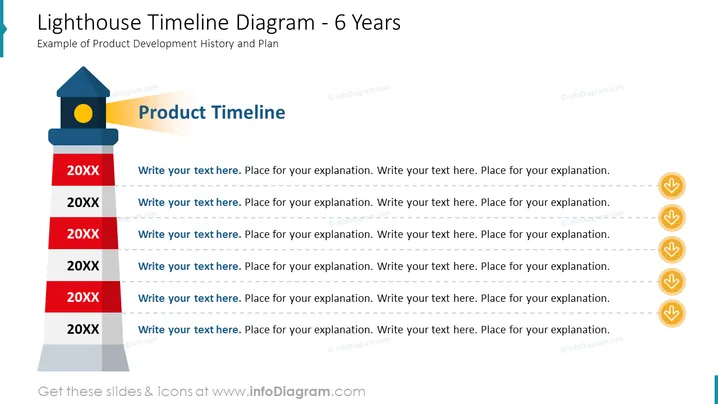
Leuchtturm-Zeitstrahldiagramm - 6 Jahre Layout
Verwenden Sie dieses PPT-Diagramm, um einen Produktentwicklungsprozess in 6 Phasen darzustellen. Nutzen Sie eine Leuchtturmdarstellung, um wichtige Daten hervorzuheben und kurz die Ziele zu beschreiben, die erreicht werden sollen oder zu berichten, was bereits erledigt wurde.
Was Enthält Dieses Leuchtturm-Zeitstrahldiagramm - 6 Jahre Layout?
- Bearbeitbare farbenfrohe Grafik eines Leuchtturms
- 6 bearbeitbare Textplatzhalter für die Beschreibungen der Phasen
- Symbolische Flussgrafik aus gelben Kreisen mit einem Pfeilsymbol
Dieses Leuchtturm-Zeitstrahldiagramm - 6 Jahre Layout ist Teil unserer Leuchtturm-Infografiken für PowerPoint-Vorlagen.
Wie bearbeiten
Text und Farben bearbeiten

Diagramm erweitern/kürzen

Ersetzen von Symbolen in infoDiagram PPT


