
Your graphics add a nice touch to my presentations and I recently used them for one of my all-hands meetings. Your toolbox adds professionalism to my slides. Instead of using standard clipart.
Claude Jones, Director of Engineer, @Walmartlabs, USA
Your graphics add a nice touch to my presentations and I recently used them for one of my all-hands meetings. Your toolbox adds professionalism to my slides. Instead of using standard clipart.
Claude Jones, Director of Engineer, @Walmartlabs, USA
I needed a fresh look at some of my slides. I've tried to find a way to create a paintbrush effect, to underline, accentuate, add some color and the handwritten markers were just the things. Very easy to use, easy to size, change the color. It was an affordable, perfect solution and I'm happy to recommend it.
Anonymous, US
The crisp, clean look of the graphics, and the fact that it allowed me to easily edit and change the colors to match the template was my main reason for purchasing them.
Brandie Jenkins, E-learning Developer, USA
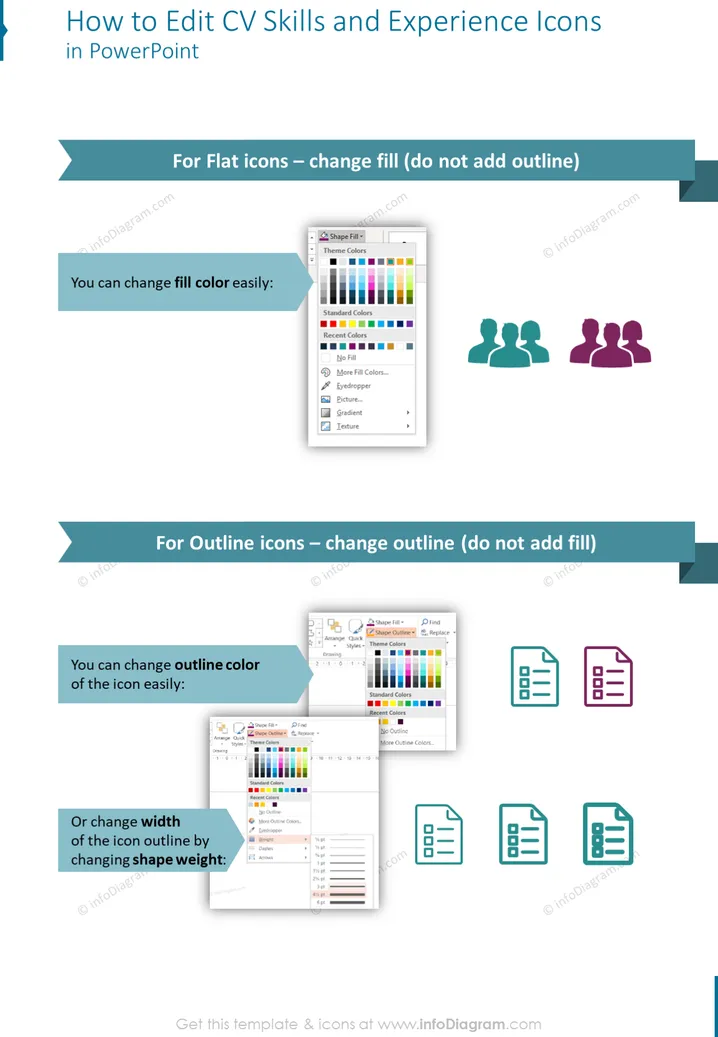
Die Folie bietet Anweisungen zur Bearbeitung von Symbolen für Fähigkeiten und Erfahrungen im Lebenslauf in PowerPoint, die für zwei Arten von Symbolen geeignet sind: flach und umrissen. Für flache Symbole wird empfohlen, die Füllfarbe zu ändern, ohne eine Umrandung hinzuzufügen, was zeigt, dass die Farbgestaltung schnell erledigt werden kann. Das bedeutet, dass man das visuelle Erscheinungsbild an das Farbschema der Präsentation anpassen oder bestimmte Fähigkeiten hervorheben kann. Für umrissene Symbole wird vorgeschlagen, die Umrandungsfarbe oder das Gewicht der Form zu ändern, was mit der Anpassung der visuellen Stärke und des Fokus der Symbole durch Veränderung ihrer Randfarbe oder Dicke zusammenhängt. Diese Änderungen können helfen, verschiedene Fähigkeits- oder Erfahrungslevels visuell hervorzuheben.




