
Your graphics add a nice touch to my presentations and I recently used them for one of my all-hands meetings. Your toolbox adds professionalism to my slides. Instead of using standard clipart.
Claude Jones, Director of Engineer, @Walmartlabs, USA
Your graphics add a nice touch to my presentations and I recently used them for one of my all-hands meetings. Your toolbox adds professionalism to my slides. Instead of using standard clipart.
Claude Jones, Director of Engineer, @Walmartlabs, USA
I needed a fresh look at some of my slides. I've tried to find a way to create a paintbrush effect, to underline, accentuate, add some color and the handwritten markers were just the things. Very easy to use, easy to size, change the color. It was an affordable, perfect solution and I'm happy to recommend it.
Anonymous, US
The crisp, clean look of the graphics, and the fact that it allowed me to easily edit and change the colors to match the template was my main reason for purchasing them.
Brandie Jenkins, E-learning Developer, USA
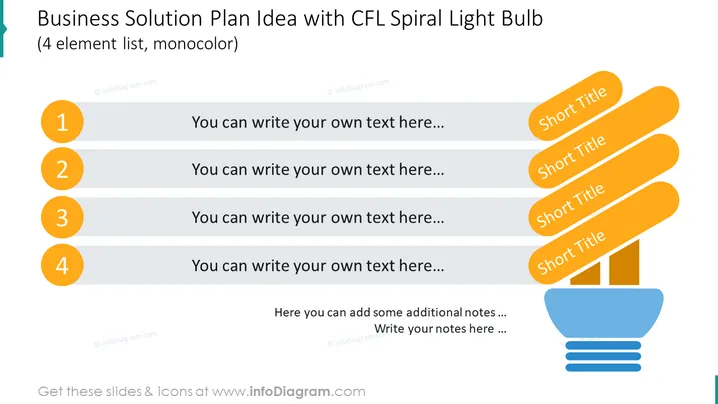
Die PowerPoint-Folie präsentiert ein Konzept für Geschäftslösungen, das als Liste mit vier Elementen strukturiert ist, die jeweils durch einen kreisförmigen nummerierten Aufzählungspunkt gekennzeichnet sind. Diese Aufzählungspunkte sind so gestaltet, dass sie die Schritte oder Teile des Plans von 1 bis 4 symbolisieren. Auf der rechten Seite der Folie befinden sich kurze Titel, die jedem Schritt entsprechen und Zusammenfassungen oder Schlüsselpunkte jedes Teils des Plans vorschlagen. Am unteren Rand der Folie gibt es Platz für zusätzliche Notizen, sodass der Präsentator ergänzende Informationen oder Kommentare zum Geschäftslösungsplan einfügen kann.
Die Folie verwendet ein einfaches und sauberes Design mit einer monochromen Farbpalette, die überwiegend aus Schattierungen von Blau und Orange besteht. Die Grafik der CFL-Birne auf der rechten Seite fügt eine visuelle Metapher für Ideen oder Lösungen hinzu, und die nummerierten Punkte bieten eine klare Struktur zur Präsentation von Informationen.




