
Your graphics add a nice touch to my presentations and I recently used them for one of my all-hands meetings. Your toolbox adds professionalism to my slides. Instead of using standard clipart.
Claude Jones, Director of Engineer, @Walmartlabs, USA

Your graphics add a nice touch to my presentations and I recently used them for one of my all-hands meetings. Your toolbox adds professionalism to my slides. Instead of using standard clipart.
Claude Jones, Director of Engineer, @Walmartlabs, USA

I needed a fresh look at some of my slides. I've tried to find a way to create a paintbrush effect, to underline, accentuate, add some color and the handwritten markers were just the things. Very easy to use, easy to size, change the color. It was an affordable, perfect solution and I'm happy to recommend it.
Anonymous, US
The crisp, clean look of the graphics, and the fact that it allowed me to easily edit and change the colors to match the template was my main reason for purchasing them.
Brandie Jenkins, E-learning Developer, USA
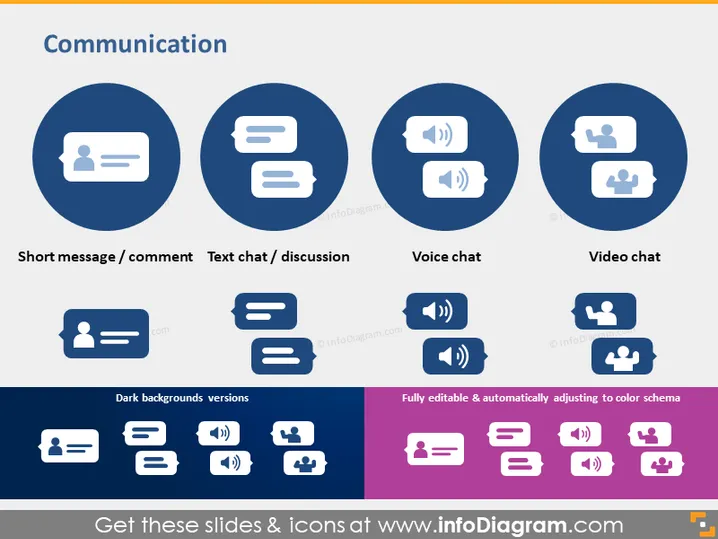
Diese PowerPoint-Folie mit dem Titel "Kommunikation" präsentiert vier verschiedene Kommunikationsmethoden, die jeweils mit einem Icon innerhalb eines großen Kreises dargestellt und darunter beschriftet sind. "Kurznachricht / Kommentar" zeigt ein Icon einer Person mit einer Sprechblase, das auf kurze, textbasierte Interaktionen hinweist. "Textchat / Diskussion" zeigt eine Sprechblase mit drei Linien, die einen konversativen Austausch von Nachrichten andeutet. "Sprach-Chat" wird durch eine Sprechblase mit einem Lautsprechersymbol dargestellt, was auf die verbale Kommunikation über Audio-Nachrichten hinweist. Schließlich zeigt "Video-Chat" ein Videokamera-Icon innerhalb der Blase, das die persönliche Interaktion über Videoanrufe symbolisiert. Darüber hinaus zeigt die Folie Varianten dieser Icons, die für dunkle Hintergründe optimiert sind, und weist darauf hin, dass die Icons vollständig editierbar sind und sich automatisch an Farbschemata anpassen.


