
Your graphics add a nice touch to my presentations and I recently used them for one of my all-hands meetings. Your toolbox adds professionalism to my slides. Instead of using standard clipart.
Claude Jones, Director of Engineer, @Walmartlabs, USA
Your graphics add a nice touch to my presentations and I recently used them for one of my all-hands meetings. Your toolbox adds professionalism to my slides. Instead of using standard clipart.
Claude Jones, Director of Engineer, @Walmartlabs, USA
I needed a fresh look at some of my slides. I've tried to find a way to create a paintbrush effect, to underline, accentuate, add some color and the handwritten markers were just the things. Very easy to use, easy to size, change the color. It was an affordable, perfect solution and I'm happy to recommend it.
Anonymous, US
The crisp, clean look of the graphics, and the fact that it allowed me to easily edit and change the colors to match the template was my main reason for purchasing them.
Brandie Jenkins, E-learning Developer, USA
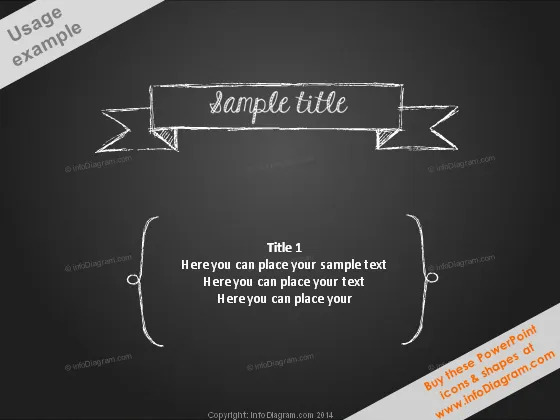
Die PowerPoint-Folie ist so gestaltet, dass sie Informationen in einem künstlerischen, schultafelartigen Format präsentiert. "Beispiel Titel" deutet auf den Platzhaltertext hin, der möglicherweise das Hauptthema oder die Abschnittsüberschrift einer Präsentation darstellt. Unten deutet "Titel 1" wahrscheinlich auf eine Unterüberschrift oder einen Schlüsselpunkt innerhalb der Folie hin, gefolgt von drei Zeilen Platzhaltertext, die anzeigen, wo zusätzliche Details oder Diskussionspunkte platziert werden könnten. Jede Zeile unter Titel 1 lädt den Präsentierenden ein, das Thema näher zu erläutern oder mehrere verwandte Punkte zur Diskussion aufzulisten.
Das Gesamtbild der Folie erinnert an eine Tafel in einem Klassenzimmer, die das Motiv von weißer Kreide auf schwarzem Hintergrund verwendet, um eine Bildungsumgebung nachzuahmen. Die handgezeichneten Elemente verleihen der Präsentation eine persönliche und kreative Note.




