

Your graphics add a nice touch to my presentations and I recently used them for one of my all-hands meetings. Your toolbox adds professionalism to my slides. Instead of using standard clipart.
Claude Jones, Director of Engineer, @Walmartlabs, USA

Your graphics add a nice touch to my presentations and I recently used them for one of my all-hands meetings. Your toolbox adds professionalism to my slides. Instead of using standard clipart.
Claude Jones, Director of Engineer, @Walmartlabs, USA
I needed a fresh look at some of my slides. I've tried to find a way to create a paintbrush effect, to underline, accentuate, add some color and the handwritten markers were just the things. Very easy to use, easy to size, change the color. It was an affordable, perfect solution and I'm happy to recommend it.
Anonymous, US
The crisp, clean look of the graphics, and the fact that it allowed me to easily edit and change the colors to match the template was my main reason for purchasing them.
Brandie Jenkins, E-learning Developer, USA
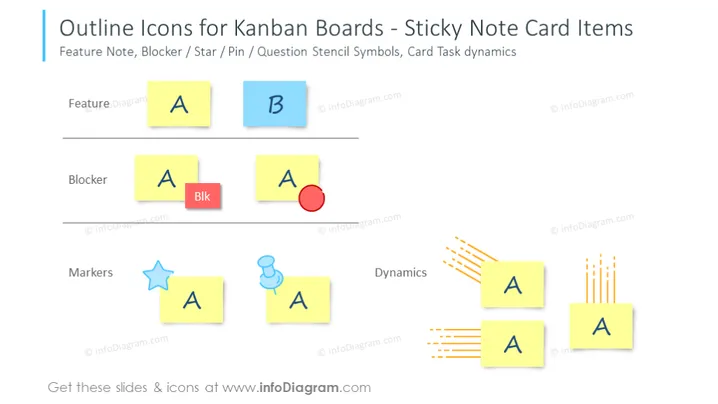
Die PowerPoint-Folie trägt den Titel "Umrisssymbole für Kanban-Boards - Haftnotiz-Karten-Elemente" und zeigt Beispiele für Symbole, die für Kanban-Board-Karten verwendet werden. Dazu gehören Funktionshinweise, Blockierer und Marker, mit Variationen wie einem Stern, einer Nadel und dynamischen Linien, die Bewegung oder Aktivität anzeigen. Funktionshinweise werden als einfache farbige Haftnotizen mit den Buchstaben "A" und "B" dargestellt, um verschiedene Aufgaben oder Funktionen zu repräsentieren. Blockierer zeigen eine Haftnotiz mit dem Wort "Blk" und einem roten Kreissymbol, um kritische Probleme oder Hindernisse hervorzuheben. Schließlich bestehen Marker aus einem Stern- und einem Nadel-Symbol und bieten einen visuellen Hinweis zur Priorisierung oder Kategorisierung, während die dynamischen Linien laufende Aufgaben oder eine Abfolge von Aktionen andeuten.



