

Your graphics add a nice touch to my presentations and I recently used them for one of my all-hands meetings. Your toolbox adds professionalism to my slides. Instead of using standard clipart.
Claude Jones, Director of Engineer, @Walmartlabs, USA

Your graphics add a nice touch to my presentations and I recently used them for one of my all-hands meetings. Your toolbox adds professionalism to my slides. Instead of using standard clipart.
Claude Jones, Director of Engineer, @Walmartlabs, USA
I needed a fresh look at some of my slides. I've tried to find a way to create a paintbrush effect, to underline, accentuate, add some color and the handwritten markers were just the things. Very easy to use, easy to size, change the color. It was an affordable, perfect solution and I'm happy to recommend it.
Anonymous, US
The crisp, clean look of the graphics, and the fact that it allowed me to easily edit and change the colors to match the template was my main reason for purchasing them.
Brandie Jenkins, E-learning Developer, USA
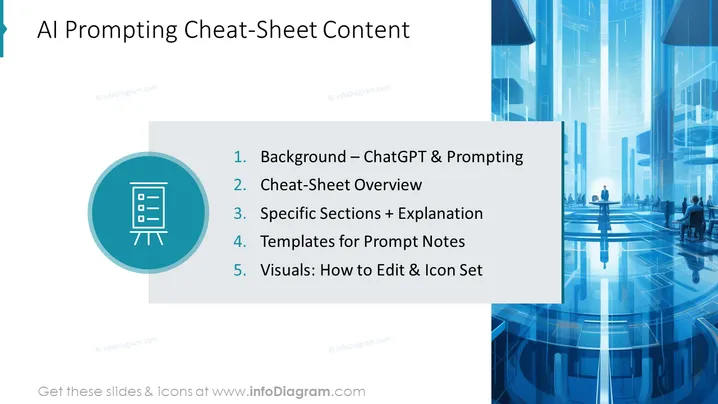
Diese PowerPoint-Folie scheint eine Einführung oder ein Inhaltsverzeichnis für eine Präsentation über AI-Prompting zu sein. Sie enthält eine Übersicht und spezifische Abschnitte, wie "Hintergrund – ChatGPT & Prompting", die das Konzept und möglicherweise die Geschichte oder den Kontext der Nutzung von KI wie ChatGPT für Prompting-Aufgaben einführen. "Überblick über die Cheat-Sheet" könnte eine Zusammenfassung von Tipps oder Tricks für effektives Prompting bieten. "Spezifische Abschnitte + Erklärung" deutet auf einen detaillierten Blick in verschiedene Aspekte des AI-Prompting hin, möglicherweise mit Beispielen. "Vorlagen für Prompt-Notizen" könnte vorformatierte Texte oder Rahmenwerke anbieten, um Nutzern zu helfen, Prompts zu erstellen. Schließlich scheint "Visuals: Wie man bearbeitet & Icon-Set" die Anpassung von visuellen Hilfsmitteln und die Nutzung von Icons zu behandeln, um die Prompts oder Präsentationsmaterialien zu verbessern.



