
Your graphics add a nice touch to my presentations and I recently used them for one of my all-hands meetings. Your toolbox adds professionalism to my slides. Instead of using standard clipart.
Claude Jones, Director of Engineer, @Walmartlabs, USA

Your graphics add a nice touch to my presentations and I recently used them for one of my all-hands meetings. Your toolbox adds professionalism to my slides. Instead of using standard clipart.
Claude Jones, Director of Engineer, @Walmartlabs, USA

I needed a fresh look at some of my slides. I've tried to find a way to create a paintbrush effect, to underline, accentuate, add some color and the handwritten markers were just the things. Very easy to use, easy to size, change the color. It was an affordable, perfect solution and I'm happy to recommend it.
Anonymous, US
The crisp, clean look of the graphics, and the fact that it allowed me to easily edit and change the colors to match the template was my main reason for purchasing them.
Brandie Jenkins, E-learning Developer, USA
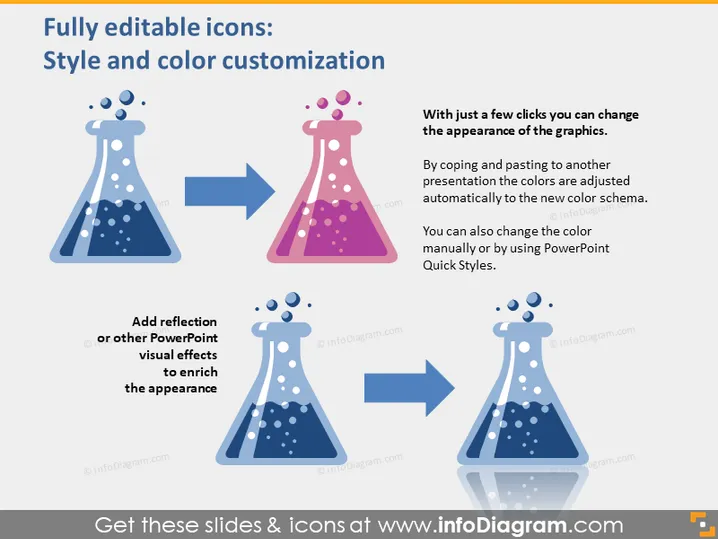
Die Folie demonstriert die Möglichkeit, den Stil und die Farbe von Symbolen in Präsentationen anzupassen. Es wird hervorgehoben, dass mit ein paar Klicks das Aussehen von Grafiken verändert werden kann. Benutzer können entweder die Farben automatisch anpassen, indem sie Symbole in eine neue Präsentation mit einem anderen Farbschema kopieren und einfügen, oder manuell die Farbe mit den PowerPoint-Schnellformatvorlagen ändern. Zusätzlich schlägt die Folie vor, PowerPoint-Visuelleffekte wie Reflexionen hinzuzufügen, um das Erscheinungsbild der Symbole zu verbessern.
Die Folie hat ein sauberes, professionelles Aussehen mit einer einfachen Farbpalette, die den Kontrast zwischen den originalen und angepassten Symbolen betont. Der Einsatz von Pfeilen führt den Betrachter visuell durch den Anpassungsprozess.


