

Your graphics add a nice touch to my presentations and I recently used them for one of my all-hands meetings. Your toolbox adds professionalism to my slides. Instead of using standard clipart.
Claude Jones, Director of Engineer, @Walmartlabs, USA

Your graphics add a nice touch to my presentations and I recently used them for one of my all-hands meetings. Your toolbox adds professionalism to my slides. Instead of using standard clipart.
Claude Jones, Director of Engineer, @Walmartlabs, USA
I needed a fresh look at some of my slides. I've tried to find a way to create a paintbrush effect, to underline, accentuate, add some color and the handwritten markers were just the things. Very easy to use, easy to size, change the color. It was an affordable, perfect solution and I'm happy to recommend it.
Anonymous, US
The crisp, clean look of the graphics, and the fact that it allowed me to easily edit and change the colors to match the template was my main reason for purchasing them.
Brandie Jenkins, E-learning Developer, USA
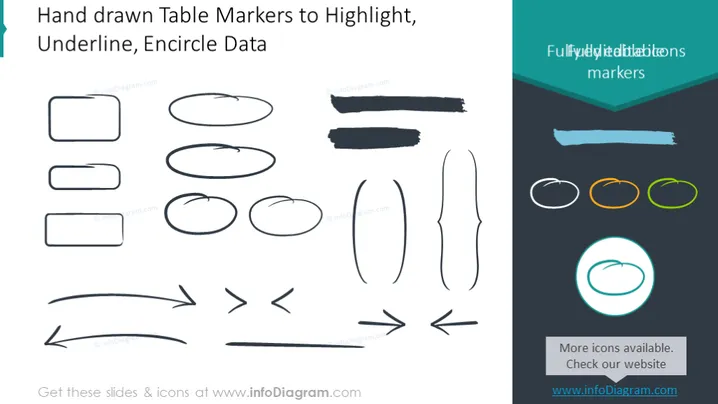
Die PowerPoint-Folie präsentiert eine Vielzahl von handgezeichneten Tabellenmarkern, die verwendet werden, um bestimmte Daten in Präsentationen zu betonen. Diese Elemente umfassen: solide Rechtecke zum Einrahmen wichtiger Texte, Unterstreichungen zur Hervorhebung von Schlüsselpunkten und verschiedene ovale Formen zum Einkreisen signifikanter Elemente. Darüber hinaus gibt es Pfeilformen, die eine Richtung anzeigen oder auf etwas Bemerkenswertes deuten. Jedes grafische Element dient einem einzigartigen Zweck, um visuelle Aufmerksamkeit zu erregen und die Kommunikation wichtiger Elemente in einer Präsentation zu unterstützen.



