
Your graphics add a nice touch to my presentations and I recently used them for one of my all-hands meetings. Your toolbox adds professionalism to my slides. Instead of using standard clipart.
Claude Jones, Director of Engineer, @Walmartlabs, USA
Your graphics add a nice touch to my presentations and I recently used them for one of my all-hands meetings. Your toolbox adds professionalism to my slides. Instead of using standard clipart.
Claude Jones, Director of Engineer, @Walmartlabs, USA
I needed a fresh look at some of my slides. I've tried to find a way to create a paintbrush effect, to underline, accentuate, add some color and the handwritten markers were just the things. Very easy to use, easy to size, change the color. It was an affordable, perfect solution and I'm happy to recommend it.
Anonymous, US
The crisp, clean look of the graphics, and the fact that it allowed me to easily edit and change the colors to match the template was my main reason for purchasing them.
Brandie Jenkins, E-learning Developer, USA
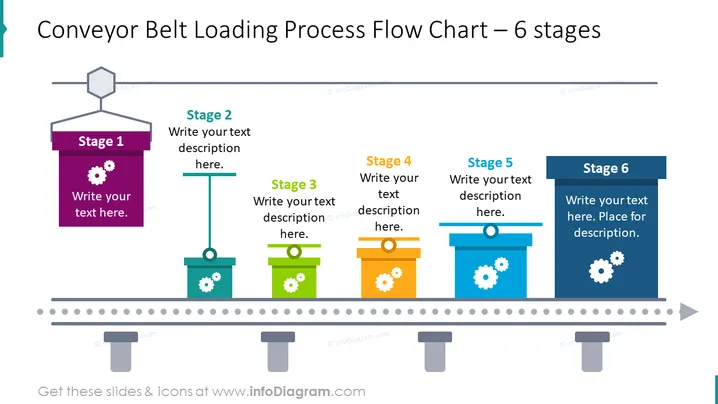
Die PowerPoint-Folie mit dem Titel "Flussdiagramm des Ladeprozesses für Förderbänder – 6 Phasen" beschreibt einen sechsstufigen Prozessablauf mit Grafiken von Förderbändern. Jede Phase wird durch ein Kästchen in einer bestimmten Farbe (von lila bis blau) dargestellt, mit Platz für eine Textbeschreibung der jeweiligen Phase. Die Metapher des Förderbandes zerlegt einen Prozess visuell in distinct Schritte und fördert ein klares Verständnis der sequenziellen Aufgaben oder Phasen in einem Arbeitsablauf.
Die Folie hat eine saubere und professionelle Optik, mit einem klaren Layout, das die schrittweise Natur eines Prozesses betont. Die Verwendung von Farbverläufen innerhalb der Kästchen verleiht Tiefe, und die Zahnrad-Icons deuten subtil auf die mechanische oder prozedurale Natur des Inhalts hin.




