

Your graphics add a nice touch to my presentations and I recently used them for one of my all-hands meetings. Your toolbox adds professionalism to my slides. Instead of using standard clipart.
Claude Jones, Director of Engineer, @Walmartlabs, USA

Your graphics add a nice touch to my presentations and I recently used them for one of my all-hands meetings. Your toolbox adds professionalism to my slides. Instead of using standard clipart.
Claude Jones, Director of Engineer, @Walmartlabs, USA
I needed a fresh look at some of my slides. I've tried to find a way to create a paintbrush effect, to underline, accentuate, add some color and the handwritten markers were just the things. Very easy to use, easy to size, change the color. It was an affordable, perfect solution and I'm happy to recommend it.
Anonymous, US
The crisp, clean look of the graphics, and the fact that it allowed me to easily edit and change the colors to match the template was my main reason for purchasing them.
Brandie Jenkins, E-learning Developer, USA
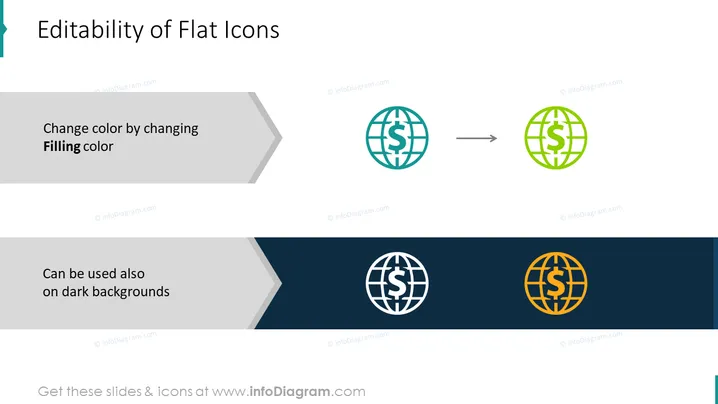
Die PowerPoint-Folie trägt den Titel "Editierbarkeit von Flachikonen" und zeigt visuell, wie die Farben von Flachikonen geändert werden können, um sie an verschiedene Hintergründe anzupassen. "Farbe ändern durch Ändern der Füllfarbe" wird mit einer Grafik erklärt, die ein Globussymbol mit einem Dollarzeichen zeigt, das von Teal zu Grün wechselt, was anzeigt, dass die Füllfarbe des Symbols leicht modifiziert werden kann. Eine weitere Aussage, "Kann auch auf dunklen Hintergründen verwendet werden," wird mit demselben Symbol in Weiß auf einem dunklen Hintergrund präsentiert, was darauf hindeutet, dass Flachikonen vielseitig sind und ihre Klarheit auf verschiedenen Hintergrundfarben beibehalten.
Die Folie hat ein minimalistisches und professionelles Aussehen mit einem klaren visuellen Kontrast zwischen den hellen und dunklen Bereichen. Die Symbole und der Übergangspfeil kommunizieren effektiv das Konzept der Anpassungsfähigkeit von Symbolen.



