Flache Icons Set — Geschäftliche Statussymbole
Folieninhalt
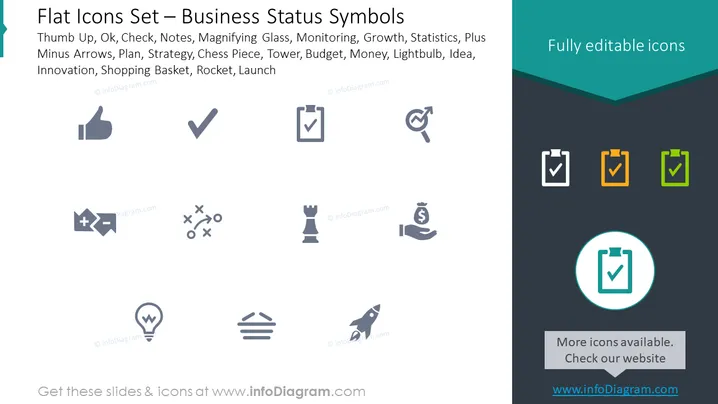
Die Folie zeigt verschiedene flache Design-Icons, die unterschiedliche geschäftliche Statussymbole darstellen, wie Daumen hoch, Ok, Haken, Notizen, Lupe, Überwachung, Wachstum, Statistiken, Plus-Minus-Pfeile, Plan, Strategie, Schachfigur, Turm, Budget, Geld, Glühbirne, Idee, Innovation, Einkaufskorb, Rakete und Start. Jedes Icon stellt visuell ein bestimmtes Konzept dar: Genehmigung (Daumen hoch), Zustimmung oder Richtigkeit (Ok, Haken), Aufzeichnung (Notizen), Analyse oder Suche (Lupe), Aufsicht (Überwachung), Fortschritt (Wachstum), Datenrepräsentation (Statistiken), Entscheidungsfindung (Plus-Minus-Pfeile), Organisation und Voraussicht (Plan), Taktik und Planung (Strategie), Wettbewerbsspiel und Positionen (Schachfigur, Turm), Finanzplanung und Ressourcen (Budget, Geld), Kreativität und Verwirklichung (Glühbirne, Idee), neue Methoden oder Produkte (Innovation), Verbraucheraktivität (Einkaufskorb), Fortschritt und Start (Rakete, Start).
Grafischer Look
- Der Folienhintergrund ist in einen hellgrauen oberen Bereich und einen dunklen Teal-Unterbereich mit einer scharfen, winkligen Trennung aufgeteilt.
- Eine Reihe flacher Icons erstreckt sich über den oberen Teil der Folie auf dem hellgrauen Hintergrund.
- Unter den Icons listet ein beschreibender Text das entsprechende Konzept jedes Icons in einer klaren, serifenlosen Schrift auf.
- Auf der rechten Seite der Folie gibt es im dunklen Teal-Bereich ein Textfeld mit der Phrase "Vollständig bearbeitbare Icons" in weißer, serifenloser Schrift.
- Ganz oben auf der Folie wird der Folientitel "Flache Icons Set — Geschäftliche Statussymbole" in fetter, serifenloser Schrift angezeigt.
- Jedes Icon wird in Graustufen präsentiert und erscheint als einfache, stilisierte und aufgeräumte Grafiken.
Die Folie hat eine moderne und saubere Ästhetik, mit einem professionellen und unkomplizierten Layout, das die Icons betont. Der Kontrast zwischen den hellen und dunklen Bereichen der Folie dient dazu, den Inhalt zu trennen und die bearbeitbare Natur der Icons hervorzuheben.
Anwendungsfälle
- Präsentation der verfügbaren bearbeitbaren Icons für verschiedene Geschäftspräsentationsanwendungen.
- Verbesserung der visuellen Attraktivität von Folien in Unternehmenspräsentationen durch die Verwendung von Icons zur Darstellung unterschiedlicher Geschäftskonzepte oder -status.
- Erstellung von Infografiken für Marketingmaterial oder Geschäftsberichte, um Informationen schnell und effektiv zu vermitteln.
- Anpassung von Schulungsmaterialien oder Unternehmensdokumentationen mit relevanten Icons zur Unterstützung des Textinhalts.