
Your graphics add a nice touch to my presentations and I recently used them for one of my all-hands meetings. Your toolbox adds professionalism to my slides. Instead of using standard clipart.
Claude Jones, Director of Engineer, @Walmartlabs, USA
Your graphics add a nice touch to my presentations and I recently used them for one of my all-hands meetings. Your toolbox adds professionalism to my slides. Instead of using standard clipart.
Claude Jones, Director of Engineer, @Walmartlabs, USA
I needed a fresh look at some of my slides. I've tried to find a way to create a paintbrush effect, to underline, accentuate, add some color and the handwritten markers were just the things. Very easy to use, easy to size, change the color. It was an affordable, perfect solution and I'm happy to recommend it.
Anonymous, US
The crisp, clean look of the graphics, and the fact that it allowed me to easily edit and change the colors to match the template was my main reason for purchasing them.
Brandie Jenkins, E-learning Developer, USA
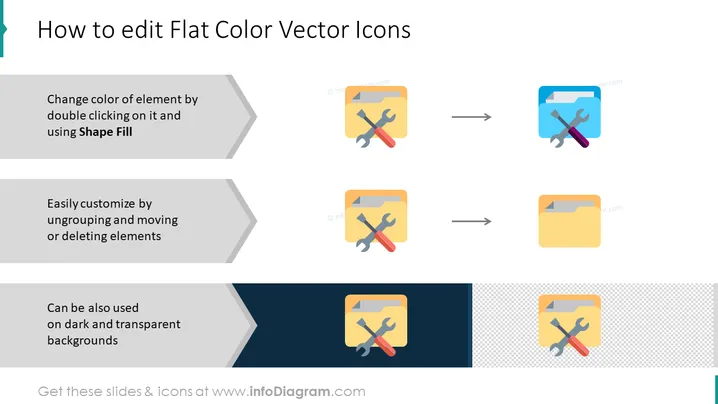
Die Folie gibt Anweisungen zur Bearbeitung von flachen Farbvektor-Icons: Das Ändern der Farbe eines Elements durch Doppelklicken und die Verwendung von "Formfüllung" impliziert die Veränderung der Farbeigenschaften eines bestimmten Teils eines Icons. Die Anpassung durch Gruppierung aufheben, Verschieben oder Löschen von Elementen deutet darauf hin, dass die Zusammensetzung durch Anpassen oder Entfernen von Komponenten des Icons modifiziert werden kann. Schließlich wird gezeigt, dass diese Icons auch effektiv gegen dunkle und transparente Hintergründe eingesetzt werden können, was ihre Vielseitigkeit hervorhebt.
Die Folie hat ein einfaches Layout mit einem klaren Anweisungsfluss von links nach rechts. Die visuellen Darstellungen sind minimalistisch und verlassen sich auf flaches Design und eine begrenzte Farbpalette, um die Schritte effektiv zu kommunizieren.




