

Your graphics add a nice touch to my presentations and I recently used them for one of my all-hands meetings. Your toolbox adds professionalism to my slides. Instead of using standard clipart.
Claude Jones, Director of Engineer, @Walmartlabs, USA

Your graphics add a nice touch to my presentations and I recently used them for one of my all-hands meetings. Your toolbox adds professionalism to my slides. Instead of using standard clipart.
Claude Jones, Director of Engineer, @Walmartlabs, USA
I needed a fresh look at some of my slides. I've tried to find a way to create a paintbrush effect, to underline, accentuate, add some color and the handwritten markers were just the things. Very easy to use, easy to size, change the color. It was an affordable, perfect solution and I'm happy to recommend it.
Anonymous, US
The crisp, clean look of the graphics, and the fact that it allowed me to easily edit and change the colors to match the template was my main reason for purchasing them.
Brandie Jenkins, E-learning Developer, USA
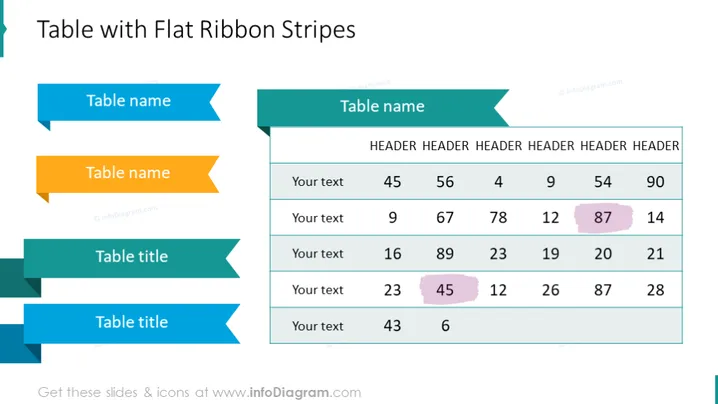
Die PowerPoint-Folie mit dem Titel "Tabelle mit Flachbandstreifen" präsentiert eine stilisierte Tabelle mit klarem und farbenfrohem Design. Die Tabelle verfügt über bandförmige Überschriften für sowohl Zeilen als auch Spalten, die die Lesbarkeit verbessern. Sie enthält vier Zeilenbeschriftungen: zwei mit der Bezeichnung "Tabellenname" und zwei mit der Bezeichnung "Tabellentitel," jeweils mit einem Platzhaltertext "Ihr Text" daneben. Die Spaltenüberschriften bestehen aus dem wiederholten Wort "ÜBERSCHRIFT" mit Zahlen darunter, die auf einen Datensatz oder Kennzahlen hinweisen, die vom Benutzer ausgefüllt werden sollen.
Die Folie verwendet ein harmonisches Farbschema mit blauen, aquafarbenen und gelben Tönen, das das Auge des Betrachters durch die Informationen in einem logischen Fluss lenkt. Der Einsatz von pfeilförmigen Bändern anstelle traditioneller Rechtecke für die Tabellenüberschriften verleiht dem Design der Folie eine dynamische Note.



