
Your graphics add a nice touch to my presentations and I recently used them for one of my all-hands meetings. Your toolbox adds professionalism to my slides. Instead of using standard clipart.
Claude Jones, Director of Engineer, @Walmartlabs, USA
Your graphics add a nice touch to my presentations and I recently used them for one of my all-hands meetings. Your toolbox adds professionalism to my slides. Instead of using standard clipart.
Claude Jones, Director of Engineer, @Walmartlabs, USA
I needed a fresh look at some of my slides. I've tried to find a way to create a paintbrush effect, to underline, accentuate, add some color and the handwritten markers were just the things. Very easy to use, easy to size, change the color. It was an affordable, perfect solution and I'm happy to recommend it.
Anonymous, US
The crisp, clean look of the graphics, and the fact that it allowed me to easily edit and change the colors to match the template was my main reason for purchasing them.
Brandie Jenkins, E-learning Developer, USA
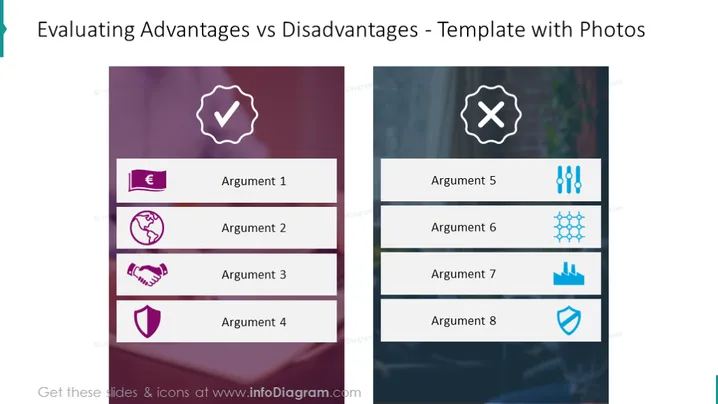
Die Folie ist organisiert, um die Vorteile und Nachteile in einem dualen Spaltenformat zu vergleichen. Die linke Spalte, die die Vorteile darstellt, listet vier Argumente auf, die jeweils mit einem Symbol gekoppelt sind: ein Währungszeichen für finanzielle Vorteile, ein Globus für globale Reichweite, ein Handschlag für Partnerschaften oder Vereinbarungen und ein Schild für Sicherheit oder Schutz. Die rechte Spalte, die die Nachteile darstellt, spiegelt diese Struktur mit vier zusätzlichen Argumenten wider, die potenzielle Probleme oder negative Ergebnisse signalisieren, mit entsprechenden Symbolen.
Das Gesamtdesign ist sauber, mit einem klaren Layout, das beide Seiten des Arguments visuell ausbalanciert. Die Folie nutzt Farben und visuelle Symbole effektiv, um zwischen positiven und negativen Aspekten eines Themas zu unterscheiden, und bietet einen klaren, visuell ansprechenden Vergleich.




