

Your graphics add a nice touch to my presentations and I recently used them for one of my all-hands meetings. Your toolbox adds professionalism to my slides. Instead of using standard clipart.
Claude Jones, Director of Engineer, @Walmartlabs, USA

Your graphics add a nice touch to my presentations and I recently used them for one of my all-hands meetings. Your toolbox adds professionalism to my slides. Instead of using standard clipart.
Claude Jones, Director of Engineer, @Walmartlabs, USA
I needed a fresh look at some of my slides. I've tried to find a way to create a paintbrush effect, to underline, accentuate, add some color and the handwritten markers were just the things. Very easy to use, easy to size, change the color. It was an affordable, perfect solution and I'm happy to recommend it.
Anonymous, US
The crisp, clean look of the graphics, and the fact that it allowed me to easily edit and change the colors to match the template was my main reason for purchasing them.
Brandie Jenkins, E-learning Developer, USA
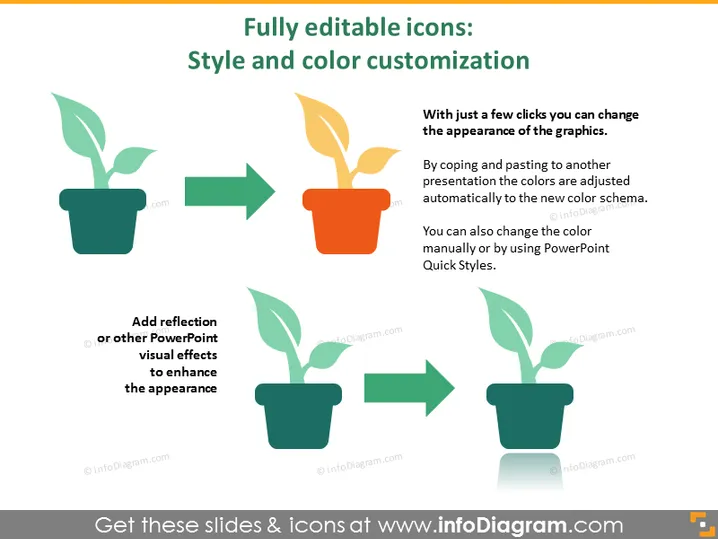
Der Folientitel deutet darauf hin, dass die Präsentation sich mit Icons befasst, die im Stil und in der Farbe angepasst werden können. Das erste erklärte Konzept ist, dass sich mit wenigen Klicks das Erscheinungsbild von Grafiken ändern lässt, was bedeutet, dass man schnell das Aussehen der Icons verändern kann. Die zweite Anmerkung betrifft das Kopieren und Einfügen von Icons in eine andere Präsentation, die sich automatisch an das neue Farbschema anpasst, was die Einfachheit der visuellen Konsistenz zeigt. Schließlich gibt es eine Anweisung zum Hinzufügen von Reflexionen oder anderen visuellen Effekten, um das Aussehen des Icons zu verbessern, was darauf hindeutet, dass diese Icons erweiterte PowerPoint-Stilfunktionen unterstützen.
Das Gesamtdesign ist minimalistisch und instruktiv, mit einem starken Fokus auf visuelle Verfahren. Pfeile sind effektiv eingesetzt, um Transformationen anzuzeigen, was den edukativen Aspekt der Folie verstärkt.



