

Your graphics add a nice touch to my presentations and I recently used them for one of my all-hands meetings. Your toolbox adds professionalism to my slides. Instead of using standard clipart.
Claude Jones, Director of Engineer, @Walmartlabs, USA

Your graphics add a nice touch to my presentations and I recently used them for one of my all-hands meetings. Your toolbox adds professionalism to my slides. Instead of using standard clipart.
Claude Jones, Director of Engineer, @Walmartlabs, USA
I needed a fresh look at some of my slides. I've tried to find a way to create a paintbrush effect, to underline, accentuate, add some color and the handwritten markers were just the things. Very easy to use, easy to size, change the color. It was an affordable, perfect solution and I'm happy to recommend it.
Anonymous, US
The crisp, clean look of the graphics, and the fact that it allowed me to easily edit and change the colors to match the template was my main reason for purchasing them.
Brandie Jenkins, E-learning Developer, USA
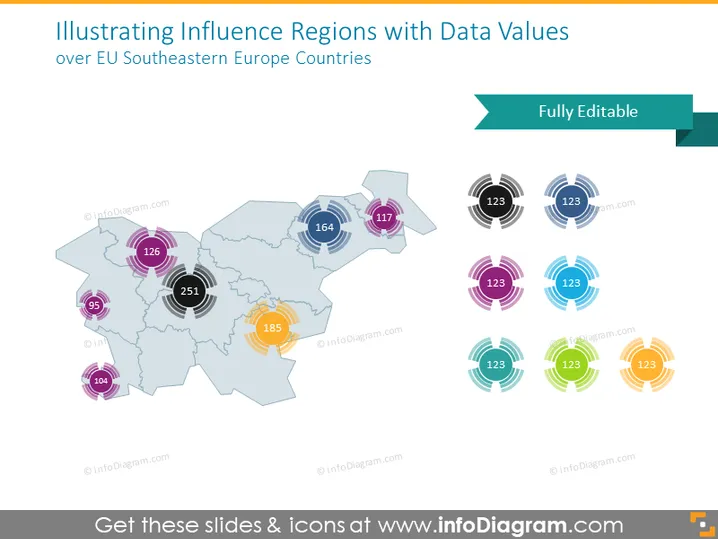
Die PowerPoint-Folie mit dem Titel "Einflussregionen mit Datenwerten veranschaulichen" zeigt Datenpunkte, die auf einer Karte der südöstlichen Länder der Europäischen Union (EU) übereinandergelegt sind. Jeder Datenpunkt besteht aus einer kreisförmigen Grafik mit einer Zahl in ihrem Inneren, die eine Quantifizierung des Einflusses oder anderer messbarer Merkmale für spezifische Regionen suggeriert. Diese visuelle Darstellung impliziert einen Vergleich der Datenwerte zwischen den Regionen, was als unterschiedliche Einflussgrade oder als bedeutendes Maß interpretiert werden kann.
Die Folie integriert klare und moderne Designelemente mit einem professionellen Look. Der Einsatz verschiedener Farben für die Datenpunktgrafiken hilft, die Werte auf einen Blick zu unterscheiden.



