
Your graphics add a nice touch to my presentations and I recently used them for one of my all-hands meetings. Your toolbox adds professionalism to my slides. Instead of using standard clipart.
Claude Jones, Director of Engineer, @Walmartlabs, USA
Your graphics add a nice touch to my presentations and I recently used them for one of my all-hands meetings. Your toolbox adds professionalism to my slides. Instead of using standard clipart.
Claude Jones, Director of Engineer, @Walmartlabs, USA
I needed a fresh look at some of my slides. I've tried to find a way to create a paintbrush effect, to underline, accentuate, add some color and the handwritten markers were just the things. Very easy to use, easy to size, change the color. It was an affordable, perfect solution and I'm happy to recommend it.
Anonymous, US
The crisp, clean look of the graphics, and the fact that it allowed me to easily edit and change the colors to match the template was my main reason for purchasing them.
Brandie Jenkins, E-learning Developer, USA
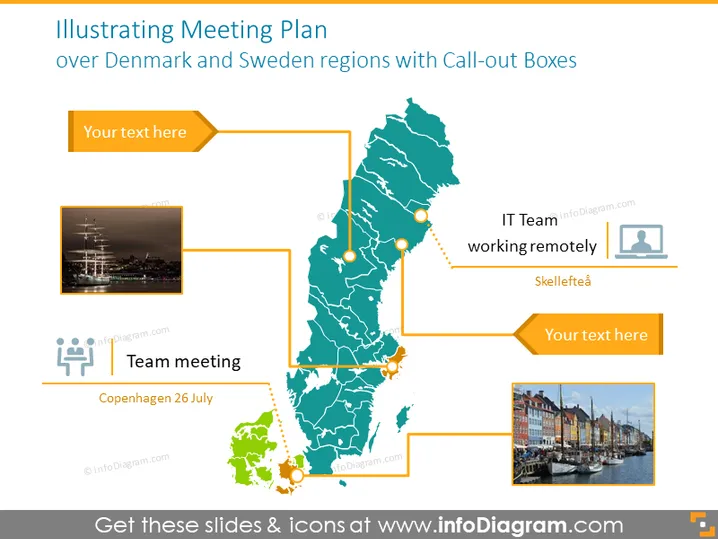
Die Folie scheint einen Plan für Meetings an verschiedenen Orten in Dänemark und Schweden darzustellen, mit Hervorhebungsfeldern, die Platzhaltertext enthalten, der anzeigt, wo Sie Ihre eigenen Beschreibungen hinzufügen können. Der Ausdruck "Teammeeting" gefolgt von "Kopenhagen 26. Juli" deutet auf eine organisierte Veranstaltung an diesem Datum in Kopenhagen hin, während "IT-Team arbeitet remote" neben "Skellefteå" wahrscheinlich eine Remote-Arbeitsvereinbarung für ein IT-Team in dieser Stadt impliziert.
Das Folienlayout verwendet ein sauberes und professionelles Aussehen mit einer guten Verwendung von kontrastierenden Farben - Orange und Teal - die die Regionen und interessante Punkte effektiv kennzeichnen. Die Hervorhebungsfelder und Symbole dienen dazu, Kontext zur Karte bereitzustellen und die Interaktion durch das Hinzufügen relevanter Details einzuladen.




