

Your graphics add a nice touch to my presentations and I recently used them for one of my all-hands meetings. Your toolbox adds professionalism to my slides. Instead of using standard clipart.
Claude Jones, Director of Engineer, @Walmartlabs, USA

Your graphics add a nice touch to my presentations and I recently used them for one of my all-hands meetings. Your toolbox adds professionalism to my slides. Instead of using standard clipart.
Claude Jones, Director of Engineer, @Walmartlabs, USA
I needed a fresh look at some of my slides. I've tried to find a way to create a paintbrush effect, to underline, accentuate, add some color and the handwritten markers were just the things. Very easy to use, easy to size, change the color. It was an affordable, perfect solution and I'm happy to recommend it.
Anonymous, US
The crisp, clean look of the graphics, and the fact that it allowed me to easily edit and change the colors to match the template was my main reason for purchasing them.
Brandie Jenkins, E-learning Developer, USA
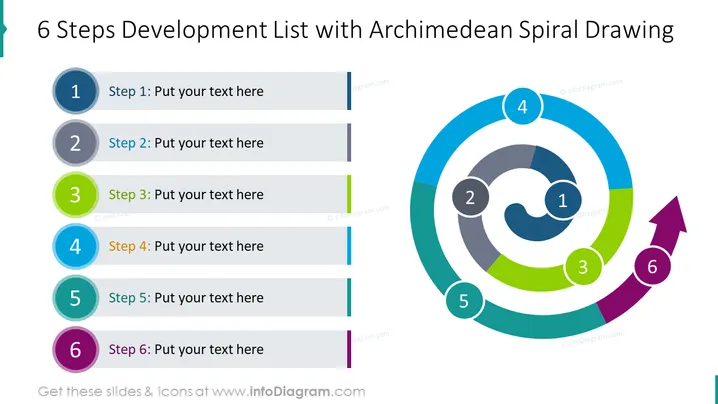
Die Folie zeigt einen Prozessfluss mit dem Titel "6 Schritte Entwicklungsübersicht mit Zeichnung der archimedischen Spirale", der visuell eine Abfolge von sechs Schritten in der Projekt- oder Strategiebereitstellung darstellt. Jeder Schritt ist von eins bis sechs nummeriert und mit einem Platzhaltertext "Platzieren Sie Ihren Text hier" versehen, was darauf hindeutet, dass der Präsentator diesen Inhalt anpassen soll. Die Schritte sind durch ein Design der archimedischen Spirale miteinander verbunden, das das Konzept der Progression verstärkt und eine dynamische Bewegung vom Beginn bis zum Abschluss fördert.
Die Folie ist visuell ansprechend mit ihrem lebhaften Farbschema, und das Spiraldesign verleiht der Darstellung des Entwicklungsprozesses Dynamik.



