
Your graphics add a nice touch to my presentations and I recently used them for one of my all-hands meetings. Your toolbox adds professionalism to my slides. Instead of using standard clipart.
Claude Jones, Director of Engineer, @Walmartlabs, USA

Your graphics add a nice touch to my presentations and I recently used them for one of my all-hands meetings. Your toolbox adds professionalism to my slides. Instead of using standard clipart.
Claude Jones, Director of Engineer, @Walmartlabs, USA

I needed a fresh look at some of my slides. I've tried to find a way to create a paintbrush effect, to underline, accentuate, add some color and the handwritten markers were just the things. Very easy to use, easy to size, change the color. It was an affordable, perfect solution and I'm happy to recommend it.
Anonymous, US
The crisp, clean look of the graphics, and the fact that it allowed me to easily edit and change the colors to match the template was my main reason for purchasing them.
Brandie Jenkins, E-learning Developer, USA
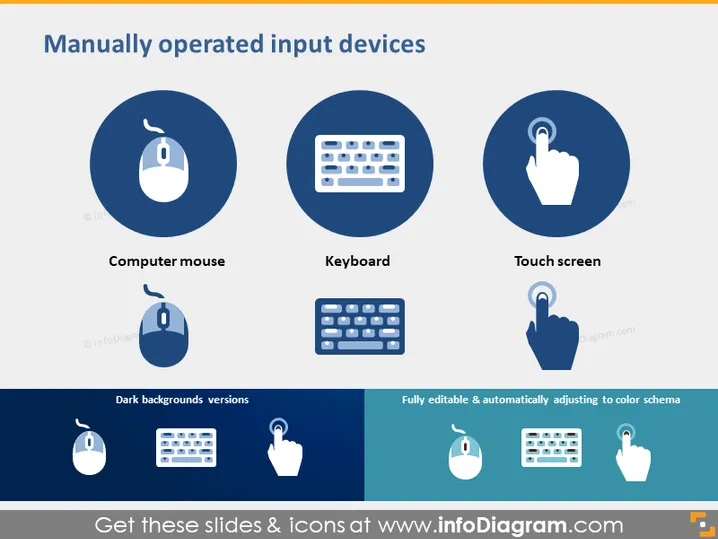
Die Folie präsentiert drei Arten von manuell betriebenen Eingabegeräten, die häufig mit Computern oder digitalen Schnittstellen verwendet werden: Computermaus, Tastatur und Touchscreen. Jedes Element wird von einem schlichten Symbol begleitet, das das Gerät symbolisiert. Die 'Computermaus' ist ein Peripheriegerät, das physische Bewegungen in digitale Signale umwandelt. Die 'Tastatur' bezieht sich auf eine Reihe von Tasten für die Texteingabe. Der 'Touchscreen' impliziert ein Display, das auch als Eingabegerät durch Berührung dient.
Die gesamte Folie hat ein modernes und sauberes Design, das sich auf die visuelle Darstellung von Informationen konzentriert. Die Verwendung von Symbolen unterstützt die schnelle Erkennung und das Verständnis des Inhalts.


