

Your graphics add a nice touch to my presentations and I recently used them for one of my all-hands meetings. Your toolbox adds professionalism to my slides. Instead of using standard clipart.
Claude Jones, Director of Engineer, @Walmartlabs, USA

Your graphics add a nice touch to my presentations and I recently used them for one of my all-hands meetings. Your toolbox adds professionalism to my slides. Instead of using standard clipart.
Claude Jones, Director of Engineer, @Walmartlabs, USA
I needed a fresh look at some of my slides. I've tried to find a way to create a paintbrush effect, to underline, accentuate, add some color and the handwritten markers were just the things. Very easy to use, easy to size, change the color. It was an affordable, perfect solution and I'm happy to recommend it.
Anonymous, US
The crisp, clean look of the graphics, and the fact that it allowed me to easily edit and change the colors to match the template was my main reason for purchasing them.
Brandie Jenkins, E-learning Developer, USA
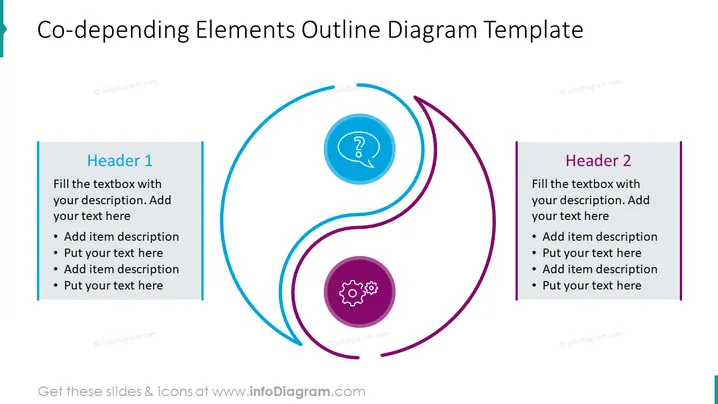
##Co-abhängige Elemente Umrissdiagramm PPT-Vorlage Folieninhalt Die Co- abhängigen Elemente Umrissdiagramm PPT-Vorlage kann in verschiedenen Geschäftskontexten verwendet werden, wenn Sie die Beziehung zwischen verschiedenen Komponenten oder Faktoren innerhalb eines Systems oder Prozesses veranschaulichen möchten. Zum Beispiel können Sie diese PowerPoint-Folie verwenden, um die wichtigen Komponenten Ihrer Geschäftsstrategie und deren Zusammenhänge darzustellen. Alle Formen sind Vektoren, sodass Sie mit den Farben spielen und die Elemente ändern können, ohne an Qualität zu verlieren. Siehe die Bearbeitungsanweisungen im Abschnitt So bearbeiten Sie. Diese PPT- Vorlage können Sie auf Google Slides und Keynote herunterladen. ##Co- abhängige Elemente Umrissdiagramm PPT-Vorlage Folieninfografiken Weißer Hintergrund, Textfeld, Aufzählungspunkte, Frage-Icon, Prozess-Icon, Zahnräder-Icon



